Showing posts with label galaxy note. Show all posts

A resistance test for the Samsung Galaxy Note 2

A resistance test for the Samsung Galaxy Note 2

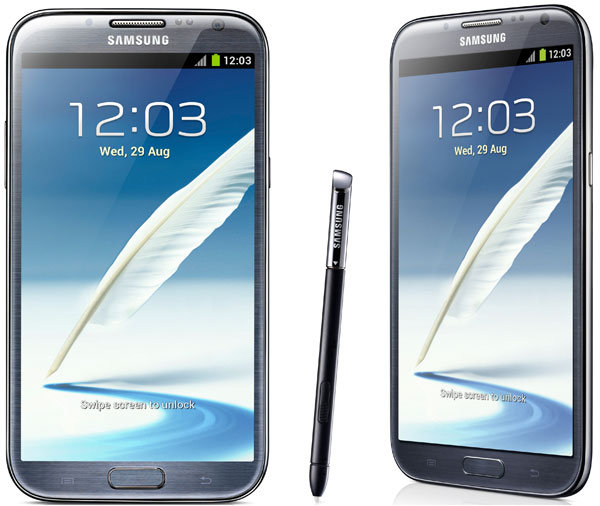
Today we pay attention to a video that shows a very interesting facet of this high level smarpthone. This is an endurance test conducted by Autorithy Android guys, especially skilled in the ability to test mobile phones most. What if we see giant Samsung resists?

Android Authority has tested the Samsung Galaxy Note 2, but it has given the summary of product characteristics. Do not forget that the Samsung device has no certifications allow you to resist external agents as dangerous as water, for example. We say this because with other devices such as the Sony Xperia go , a phone that is specifically developed to withstand dust, water and falls harder. Despite all this, it seems that the Samsung Galaxy Note 2 is not far behind. With the launch - at different forces and speeds - the Samsung device has not suffered a single scratch. It should be noted, moreover, that more frequent falls, in our daily lives, are produced by accident and not by an express release, so that the force with which impact on the ground is quite moderate.

In such cases, proof tests are shown in the video, the Samsung devices often suffer a breakdown of its major moving parts: the back cover and battery. The result, in this case, has been positive for both the body of the phone to the screen, the most sensitive part of the terminal. As you know, the device has a huge Super AMOLED HD panel of 5.5 inches. This is a very sensitive area in this case, has not suffered from these falls premeditated.

Samsung Galaxy Note 2 002

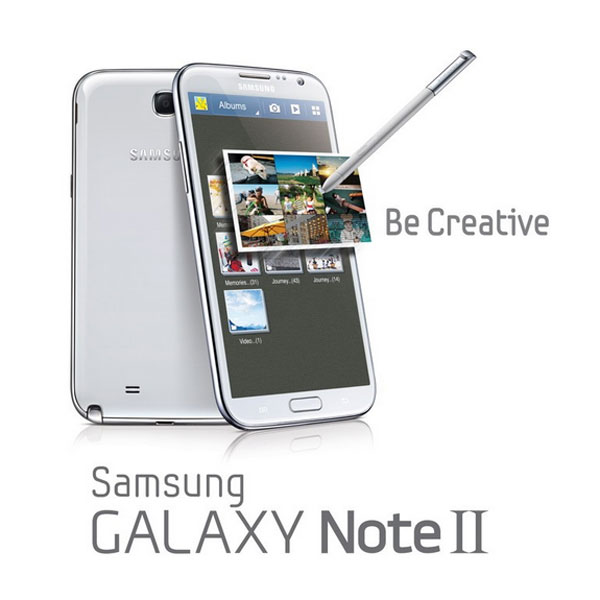
The Samsung Galaxy Note 2 provides a larger screen with respect to that of its predecessor. The Samsung Galaxy Note has already been submitted to the large market with a 5.3 inch panel left open-mouthed at the most incredulous. Something similar happened when they shared their positive sales results. Now, the Korean company intends to continue filling the market of smartphones aimed at a strictly professional and demanding. The terminal incorporates a processor with a quad-core architecture, running at a clock frequency of 1.6 GHz, which combined with its 2 GB of RAM and operating system Android in version 4.1 Jelly Bean will offer a performance outside usually when you run applications and perform special functions of this own unique smartphone.
Samsung Galaxy Note 2 01
Your camera has an eight-megapixel sensor and offers the ability to record HD movies (1080p). Logically, is perfectly prepared for connectivity. Proof of this is their network support 3G (HSPA + 21 Mbps / HSUPA 5.76 Mbps), Wi-Fi 802.11 b / g / n , WiFi Direct, Bluetooth 4.0 technology or NFC . Includes finally a lithium ion battery with a capacity of 3100 milliamps

If you want to support our job please visit our links, we have a lot of offers for you, if not you can also visit our top 10

Samsung Galaxy Note 2, in-depth analysis, read it before buying

Samsung Galaxy Note 2, in-depth analysis

As long speculated, finally Samsung has pulled out of the hat which will be the second generation of its famous hybrid smartphone-tablet, the rumored Samsung Galaxy Note 2. The presentation is taking place in Berlin right now in one of the preliminaries of the IFA 2012.

Just as its predecessor, it is a device that stands out for its amazing display that is halfway between a phone and a tablet. But if the original model and surprised by this feature, this time Samsung has sought to approach the limit and has expanded to 5.5-inch panel. Still maintaining the same resolution HD (1280 x 720) and improved important aspects such as the battery or processor-which is now quad core. We do a thorough analysis of all its features below.

Samsung Galaxy Note 2 01

Design and Display

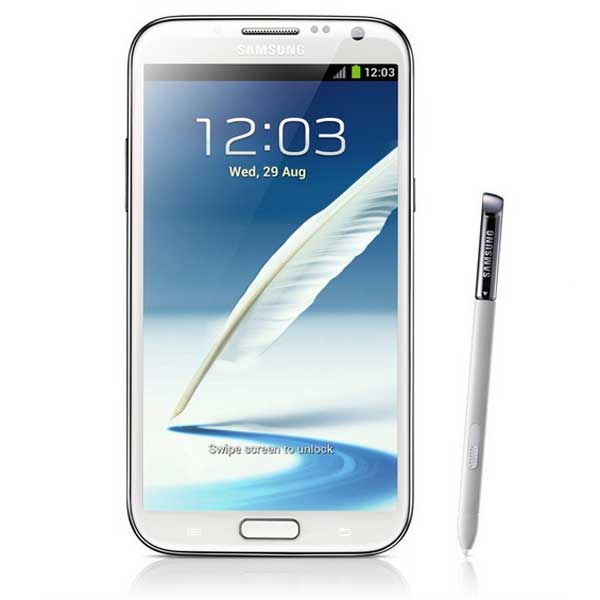
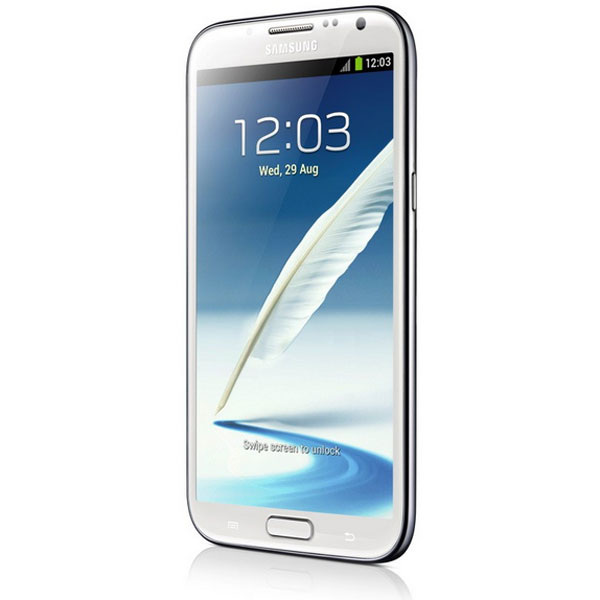
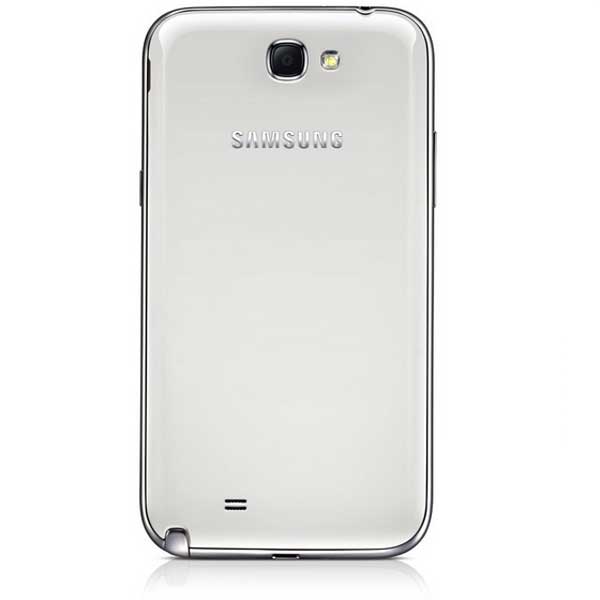
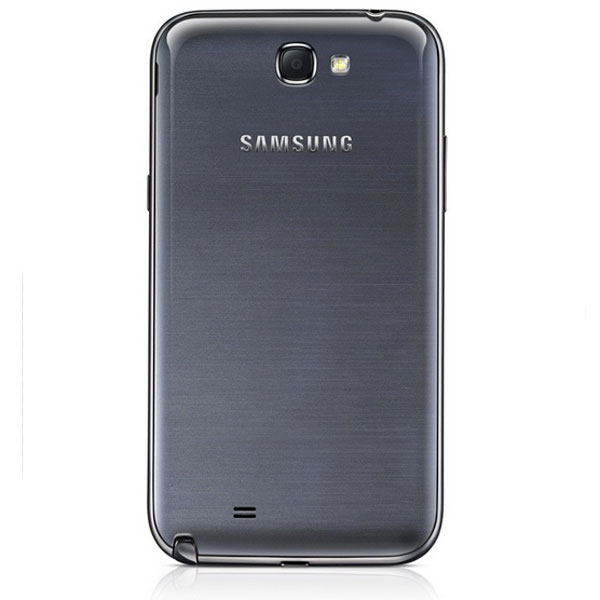
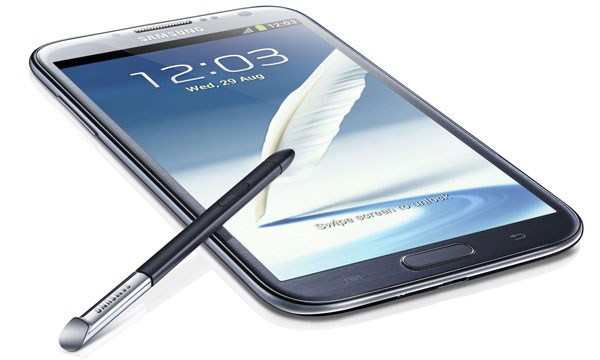
With the Samsung Galaxy S3 Korean company introduced a new line of design that is also present in the Samsung Galaxy Note 2. This is a sleek and smooth, with very rounded edges that has taken inspiration from nature, something that we also find in the user interface. The new Samsung Galaxy Note 2 will also be available in two colors-in this case white and gray - even is made ​​with the same materials so it seems a kind of giant Samsung Galaxy S3 although not as rounded edges. It is lighter and thinner than the original model, in particular has a thickness of 9.4 mm and weighs 180 grams, giving it a more stylized.

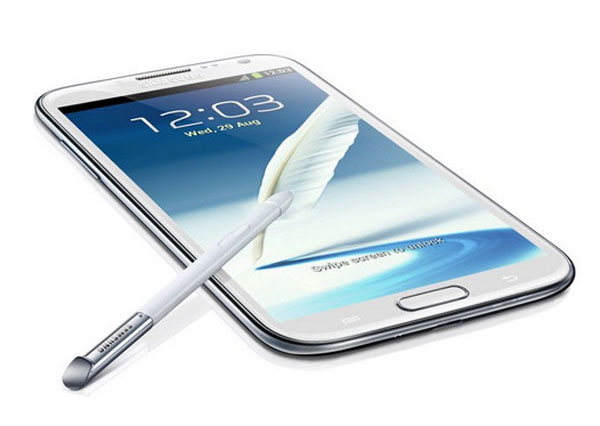
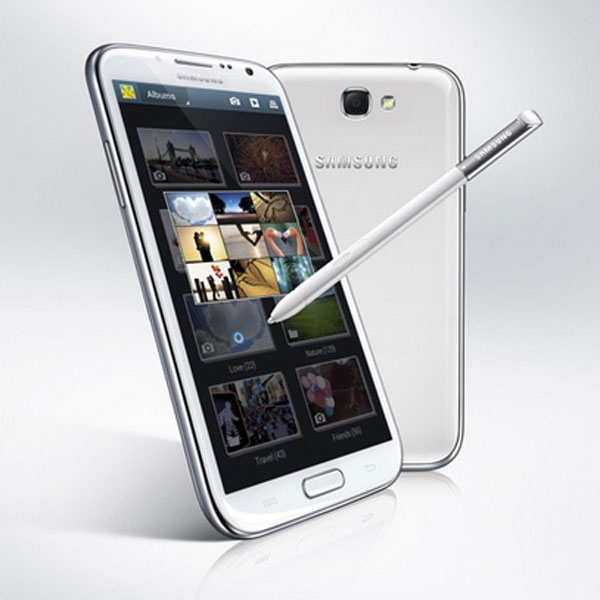
Besides the appearance of the device itself, Samsung has also redesigned the stylus included in this model. The new S Pen is longer and thicker for a more ergonomic grip, and is coated with a non-skid rubber type. But that's not all, the stylus of Samsung Galaxy Note 2 has improved its accuracy, is pressure sensitive and has a button that will serve to activate certain functions.

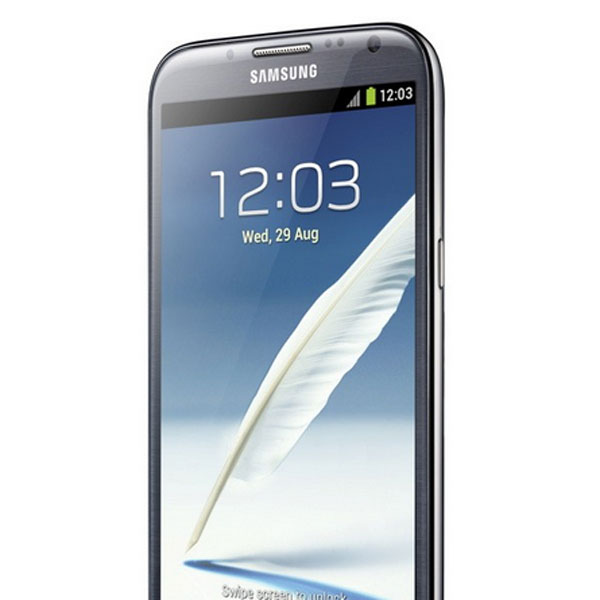
The rumors of the past few weeks they were right, we can finally confirm that the Samsung Galaxy Note 2 still has a larger screen than the previous model, no less than 5.5 inches. The panel is made ​​of Super AMOLED HD technology battery saving, is very bright and vivid color reproduction. The HD resolution (1,280 x 720 pixels) ensures crisp, sharp images. Also the 16:9 widescreen is perfect to watch movies.

Samsung Galaxy Note 2 03

Connectivity

No wonder that a mobile on the size of Samsung Galaxy Note 2 provides multiple connections for users to enjoy all the features offered. Undoubtedly the most notable is the presence of an LTE chip that enables users to access Internet at a maximum speed of no less than 100 Mbps In countries which have not implemented the LTE or 4G, as in the case of Spain, users can enjoy sailing at a speed of 21 Mbps using the system HSPA +, or what is the same, 3G mobile networks. course also be surfing over Wi-Fi, provided there is an access point in our reach.

The Samsung Galaxy Note 2 also features the Wi-Fi Direct, this system allows the connection between multiple devices via Wi-Fi with no need for an intermediate link as a router. With this technology the data transfer speed is faster. To conclude the section on wireless connections could not miss the port Bluetooth 4.0, GPS connection and NFC chip.

As for the physical connections or cables, the Samsung Galaxy Note 2 equips a microUSB 2.0 port that supports MHL, this means that with a special cable can launch a high-definition signal eg to see photos or videos on your TV the room. The MicroUSB also used to charge the battery and transfer data to your computer. Finally, how could it be otherwise, integrates a headphone jack or speakers 3.5 mm.

Samsung Galaxy Note 2 02

Camera and Multimedia

We continue to see similarities with the Samsung Galaxy S3 in the photographic section is that the new Galaxy Note 2 equips the same sensor as its little brother, and shares some functions. This is an eight-megapixel backlit sensor, this technology eliminates the layers between the lens and the photoresist to seize as much light as possible, so we will have quality images even in low-light also has a mode Shooting for this type of situation called Low Light Shot. The camera also records videos with HD resolution (1,920 x 1,080 pixels) and has essential features like autofocus, LED flash and geo-tagging of images. It also integrates a front camera for video calls with resolution of 1.9 megapixels.

As mentioned, the Samsung Galaxy Note 2 comes with some features that we saw in the presentation of the Galaxy S3. To start function can be activated Shot Burst burst shooting with very short intervals thanks to the speed of the camera. Best Photo is another feature with this mobile system will automatically select the best photo of a series of eight images so that we do not even have to bother to choose it ourselves. Also included is a feature unique to this model, it is Best Faces, a system to select faces or pose in a group photo in order to create a composite from multiple images.

Support for multiple formats of audio, video and image is something necessary in a smartphone and the Samsung Galaxy Note 2 would not be outdone, the terminal plays smoothly almost any file type. Examples of formats are MP3, WMA, AAC, eAAC +, MPEG4, DivX, MKV, AVI, or FLV.

Samsung Galaxy Note 2 09

Processor, memory and operating system

Samsung definitely has the jump to quad-core processors, specifically for this model operates at a frequency of no less than 1.6 gigahertz and is supported by two Gb of RAM. Thanks to these two components the user can enjoy a very fast performance especially be noticeable to squeeze all the potential graph games or HD videos.

The Samsung Galaxy Note 2 will be available in three versions depending on storage capacity, a choice of 16, 32, or 64 GB also allows memory expansion with microSD cards up to 64 GB, which is not bad. For example if we have the 64GB model and extended with a maximum capacity MicroSD have no less than 128 GB to store data on the phone, all pocket hard drive.

The operating system version has been talking in recent weeks. At first it was thought that the manufacturer would launch with Android 4.0 and later update. Samsung finally have managed to come out of the factory with Android 4.1 Jelly Bean. This release includes enhancements interesting as Butter Project (which greatly improves performance by making it more fluid), the wizard Google Now, new notifications pop functions or customizable widgets.

Samsung Galaxy Note 2 05

Applications

Lately Samsung is giving much importance to the software features integrated into their products in order to stand out from competitors using proprietary systems. In the case of Samsung Galaxy Note many of these new features are related to the S Pen stylus. A clear example is Air View, this system allows you to preview content (email, S Planner, photographs, videos ...) just hanging above pencil without touching the screen while you press the button on the S Pen, so we can explore the content without opening the particular file you're viewing.

The terminal also integrates a pair of true multitasking services. One of them we saw in the presentation of the Samsung Galaxy S3. Of course we mean PopUp Play, a system to watch videos in a small floating window while performing any task such as writing a message. Now Samsung has adapted this concept to Note 2 with PopUp Galaxy Note, is basically the same system but instead of taking a video allows us to take notes.

Other features unique to this model is Quick Command, with it we can set shortcut methods to make calls, write messages or open a specific application. Simply slide the screen up with pen button pressed to activate. But that is not all, with the Samsung Galaxy Note 2 will also be able to record everything that happens on the screen with Screen Recorder, like taking the screenshot concept to a new level. Finally also highlights the application S Beam, very useful to quickly share files with other phones via Wi-Fi Direct and NFC.
Samsung Galaxy Note 2 06

Autonomy and availability

We got to the last section of this analysis, the battery. A terminal of its kind, with a big screen and quad-core processor, undoubtedly requires a battery with high capacity for the duration is acceptable. Samsung did not want to catch your fingers and has opted for a battery of no less than 3100 milliamps . Yet at the moment there is no information on runtime so you can not go into details.

Samsung has announced that the handset will go on sale in Europe during the month of October, at the moment have no clues about the price that will free form.
Samsung Galaxy Note 2 07

Reviews

The Samsung Galaxy Note 2 is a worthy successor to the first model that keeps the same spirit tablet smartphone mix, but much improved. The new stylus is one of the most important news, thanks to this accessory and dedicated applications users can take advantage of the terminal. The software features take center stage and all of the presentation will be what really makes the Samsung Galaxy Note 2 useful and practical device. Has also been a great a success have chosen a design line and also Samsung Galaxy S3 They've made ​​it very thin despite a battery fitted as wide. Ultimately the terminal falls short of the expectations and even surpassed in some points. The only downside is that you are missing the voice assistant Voice S present in the Samsung Galaxy S3.

Samsung Galaxy Note 2 08

Technical
Standard GSM 850/900/1800/1900
HSPA + 21 850/900/1900/2100 (HSDPA 21Mbps / HSUPA 5.76Mbps)
4G LTE: 100Mbps / 50Mbps (42Mbps HSDPA / HSUPA 5.76Mbps)
Weight and dimensions 151.1 x 80.5 × 9.4 mm and 180 grams
Memory 16/32/64 GB of internal memory
Expandable with microSD cards (up to 64GB)
2 GB of RAM
Screen
HD Super AMOLED capacitive
5.5 inch (720 x 1280 pixels) in 16:9 distribution
16 million colors
Camera BSI backlit sensor
8 megapixels (3,264 x 2,448 pixels)
Video recording FullHD (1080p 30fps)
Flash LED
Geotagging
Autofocus
Face detection
Best Photo
Best Faces
Shooting in low light
Secondary camera 1.9 megapixel front
Multimedia Playing music, video and photos
Supported formats: MP4, DivX, XviD, MKV, WMV, H.264, H.263, MP3, WAV, eAAC +, AC3, FLAC.
Voice
JAVA Support
Controls and connections Android OS 4.1 Jelly Bean
Samsung TouchWiz
S Pen stylus
Quad-Core Processor 1.6 GHz
GPS with A-GPS support
Accelerometer rotation sensor, proximity sensor, digital compass
MHL microUSB 2.0 support (HDMI)
Output 3.5 mm headphone jack
MicroSD card slot
Document viewer
HSPA + 21 Mbps, HSUPA 5.76 Mbps
LTE (100 Mpbs/50 Mbps)
Wi-Fi 802.11 b / g / n
Wi-Fi Direct
Bluetooth 4.0
NFC
Autonomy 3100 mAh Battery


If you want to support our job please visit our links, we have a lot of offers for you, if not you can also visit our top 10

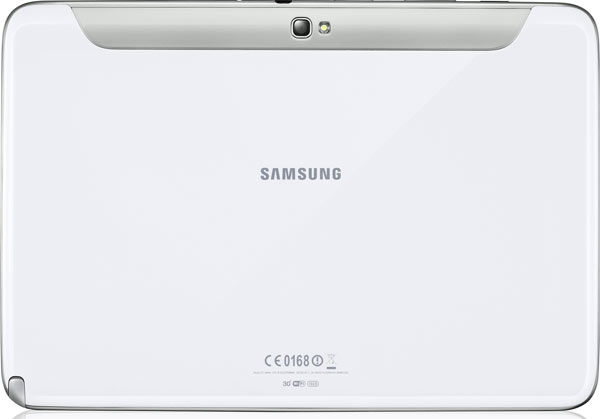
Samsung Galaxy Note 10.1, complete analysis

Samsung Galaxy Note 10.1, depth analysis

It has been hard, but finally comes to market one of the most anticipated tablets of the year. This is the Samsung Galaxy Note 10.1, a tablet of the Korean brand with Android operating system. saw a prototype back in February, during the Mobile World Congress in Barcelona, ​​but now we have had in his hands and we have seen what gives of.

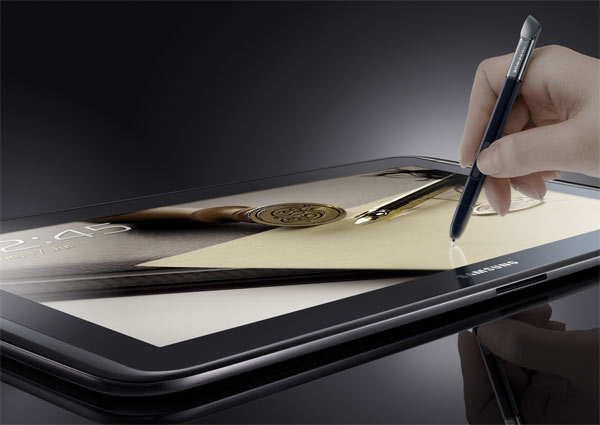
It could be a tablet more with Android , but it has one thing that makes it special. Called S-Pen, a capacitive pointer that helps improve the functionality of the device.'s not new, we have already seen in the Samsung Galaxy Note , that hybrid between tablet and smartphone having 5.3 inch screen. But they have improved a lot, making it more accurate and useful. It also has a completely different functionality in a device with the much larger screen.

Samsung-Galaxy-Note101-01

According to the manufacturer, the target of this tablet is the professional and education. Has several functions related to the pointer, so believe. However, many consumers were waiting for a device like this. Managing a screen with a pointer is nothing new, and many missed him since the days of PDAs.

The pointer is not only useful for certain professional activities, but like much in hand. Not too much like we saw in the short version. This, on the mobile, it's small and it seems that we will lose or break at any time. It was a first approximation, that appealed to many at the time, but the pointer of the tablet is much more comfortable.

In this video we see a summary of the analysis we have made ​​of this tablet ...


Design and Display

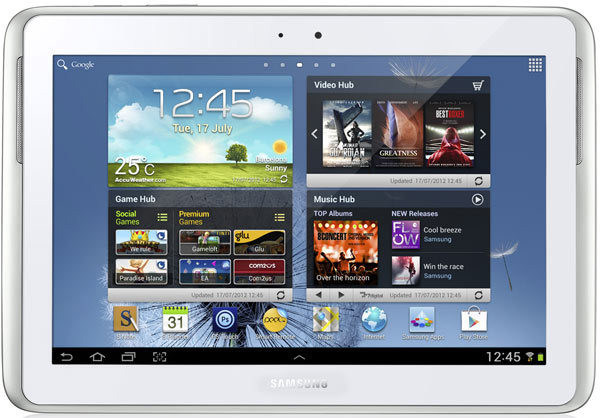
The Samsung Galaxy Note 10.1 has a big screen, 10.1-inch diagonal. Tablet is not designed to get into your pocket. Its use is more aimed towards the professional sector: an office ou classroom. It has a resolution of 1,280 x 800 pixels. It is a fairly high value and makes it very suitable for enjoying high definition audiovisual content.

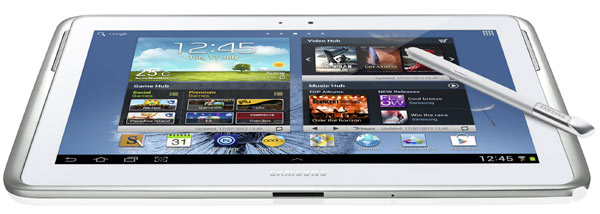
Despite its size, is not too heavy in the hand. The metal edge design brings some functional elegance. Gap is remarkable in integrating the S-Pen. It is located in the lower right corner, and extracted with ease. Slope must be entering the S-Pen in the proper position, since only fits well in one and could get stuck.

Samsung-Galaxy-Note101

Connectivity

Both physical and connections inalábricas, the Galaxy Note 10.1 is to live up to expectations. Be sold, as most of the tablets, in both versions. In one of them, will only connection WiFi , while the other will be able to work anywhere with 3G. This second supports HSPA networks with a connection of up to 21 Mbps

On the physical plane, find a charging port, which also serves to connect the tablet to a larger screen, like a television. In addition, at the top, find a headphone jack and a slot for inserting a card microSD , to expand the internal memory of the device.

Samsung-Galaxy-Note101

Camera and multimedia

Although the camera is a very minor accessory in a tablet, Samsung have underestimated this option. Has two cameras , one in front and one in back. The front is mainly oriented videoconferencing, and has a resolution of 1.9 megapixels.'s Interesting is the rear. It has five megapixels and autofocus. Thing more tedious is the proper use of the tablet format, that does not make it too easy to take pictures.

However, this tablet has a little more sense to use it. And it is 10.1 Samsung Galaxy Note comes with Photoshop integrated.'s popular photo editing application can be found (paying) in the Android market, but this time is can use for free. In addition, S-Pen adds a new way of photo retouching, and you can work directly on the image.
Samsung-Galaxy-Note101

With the screen resolution with which account, it is also a good option for watching videos. It can play almost all popular formats of audiovisual field, among which are: MP3, OGG, WMA, ACC, ACC +, eAAC +, AMR, MIDI, WAV, AC-3, Flac, MPEG4, H.263, H.264, VC-1, DivX, WMV7, WMV8, WMV9 and VP8.

Memory and operating system

As with all the tablets have been presented the Korean brand, Android is the operating system of choice. Comes installed the latest version, 4.0 Ice Cream Sandwich. It is a good choice, as this version is very complete, but needs a major engine to move smoothly, and this tablet does. With a quad-core processor and a clock frequency of 1.4 GHz, the Galaxy Note 10.1 is one of the most powerful tablets on the market.

As for internal memory, Samsung has followed the usual pattern in these cases, and has fragmented supply depending on storage capacity. Was going to sell three models, equipped with 16, 32 and 64 GB of internal memory. Furthermore, it should be noted that this memory can be expanded using a microSD card.


Autonomy and availability

The device has a battery of 7000 miliaperios.'s Very difficult to get an idea of how long a battery can last like this. Approximations can be made, but the reality is that it depends on the type of use made of. The key factor in this equation is the screen. This consumes most of the device's battery. With the screen off, the battery can last for weeks. Actual performance will depend on the amount of time we have turned the screen or brightness of this.

The Samsung Galaxy Note 10.1 goes on sale today in the UK, and in two weeks, on September 1, in our country. Prices start from 530 euros for the most basic model, with 16 GB of storage and WiFi.

If you want to support our job please visit our links, we have a lot of offers for you, if not you can also visit our top 10
How to save battery on your Galaxy Note

How to save battery on your Galaxy Note

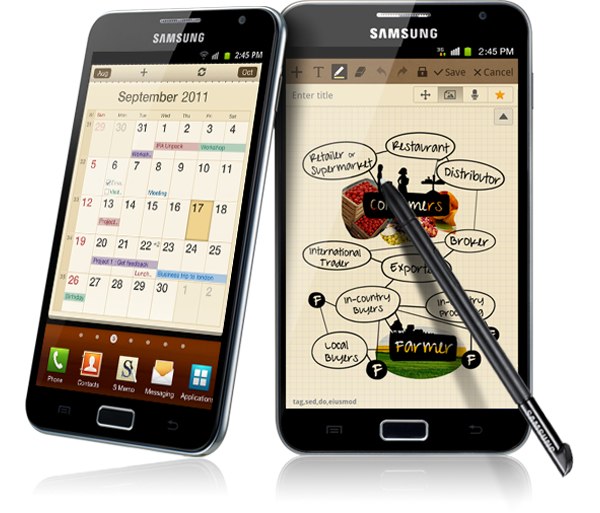
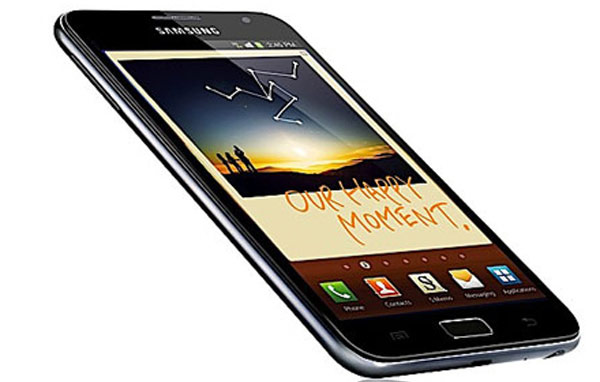
The Note Galaxy is one of the most advanced devices that currently has the Korean company Samsung in its catalog. The truth is that this is a smartphone designed for a more professional industry, interested in working on a digital notebook and a pen or stylus that allows users to enjoy the advantages of multi-touch screen of 5.3 inches, their advantageous applications and innovative connectivity. 

One major drawback, however, is the battery life. As with all such devices, autonomy remains the Achilles heel of the brands that have yet to resolve its durability. In this article we offer some basic keys to keep working the phone in an emergency situation or to conserve all day the last leg of autonomy of the device. Tricks are simple and quick to configure, useful in a timely manner to keep our device at the time when we need it most.

Samsung Galaxy Note actualizacion 01

It is clear that some functions use more energy than others. This article is not intended to cancel all the advanced features of the Samsung Galaxy Note, at all. These recommendations have been made ​​taking into account the experience of some users who want to keep open the phone in the final stretch of arrival at home in case something happens, or who wish to retain full autonomy over a longer working day of usual. In this way, know that you can conserve more energy in your appliance if:

1) Adjust the 3G connection. If you know you're not going to surf the Internet or receive large amounts of data, you have the option to turn off the 3G connection to work through a slower connection and therefore, less heavy for the autonomy of the device. You'll find this option in the Setup and Connections section. When you get home or back when you need a faster connection you can turn back and continue enjoying the benefits of the information for this Samsung Galaxy Note.

2) Regulates the email synchronization. It is one of the largest consumer functions. If you have the received e-mails at very short intervals, the better you avoid automatic synchronization to check the mail when required, manually. Within the email tool you select this option for the Galaxy is not checking Note every minute if you have messages in the mailbox.

3) Disable Bluetooth and GPS. Two of the most heavy smart phones have to endure, so if you do not need the autonomy of your Samsung Galaxy Note experience great relief. If you have no intention to transfer data via Bluetooth technology and can not be used for any function of geolocation tools, you can go to Settings and Connections section to disable them.
samsung Galaxy Note 003
4) Reduce the cost of the screen. Illumination and screen brightness are two great enemies of autonomy. It is true that at this point, manufacturers still have not solved this problem. If you do use the phone on time, we also recommend that you head to the Settings section to reduce the brightness and the illumination. If you will not use the phone to work or to view multimedia content, you can afford. At the same time, we recommend you choose a wallpaper and a static guard and without many colors (if you have it in black and white, great) for either consumption will suffer too.

5) Moderate the volume of the unit. If you turned up too loud, we recommend that you reduce. You can also turn off vibration. Finally, know that using non-genuine accessories can also significantly erode the battery of the device.

Samsung Galaxy Note 04

All of these tips, of course, are designed for very specific moments, since it is clear that many of the options that make a phone Note Galaxy really advanced. As you can imagine, this is very personal recommendations you can consider if you need to keep a little longer device battery and charger if you have no hand to feed it with renewed energy.

If you want to support our job please visit our links, we have a lot of offers for you, if not you can also visit our links

Video: David Beckham played the rhythm of Beethoven with Soccer Balls!!

Video: David Beckham played the rhythm of Beethoven with Soccer Balls!!

His name is a symbol of technology. David Beckham - England midfielder from Los Angeles Galaxy - is the protagonist of the Samsung brand commercial commercials promoting the new Galaxy Note. As you know this brand is the official phone of the Olympic Games of London 2012 .

"I am excited to collaborate with Samsung as sponsor of the 2012 London Olympics in my hometown. I hope we all live and enjoy the Olympics like never before, "said former player of Manchester United and Real Madrid .
It is worth mentioning that this time Beckham was in charge of playing with the aid of a ball and a wall of drums, the 'Ode to Joy' from Beethoven . Besides these days grew up the possibility that the 'Space Boy' can assist with his selection to the largest festival of world sport.


If you want to support our job please visit our links, we have a lot of offers for you, if not you can also visit our links


Related Posts Plugin for WordPress, Blogger...

Special Offer for Readers