Showing posts with label hp. Show all posts

Spectre XT HP TouchSmart depth analysis

Spectre XT HP TouchSmart depth analysis

The Spectre HP TouchSmart XT is one of the HP equipment to be launched with Windows 8 by the end of the year. This team will include a touch screen 15.6 "with a resolution of 1,920 x 1,080 pixels and will be located on the first level of market thanks to a sleek design made ​​from metal and glass. This equipment is intended for use multimedia content such as HD movies display with a display and the audio quality is achieved with Beats Audio system. Moreover, to include a Thunderbolt port which can achieve transfer rates that are twice the USB 3.0 protocol. The Spectre HP TouchSmart XT will be available in the Spanish market from December with a price that will be around 1,400 euros.
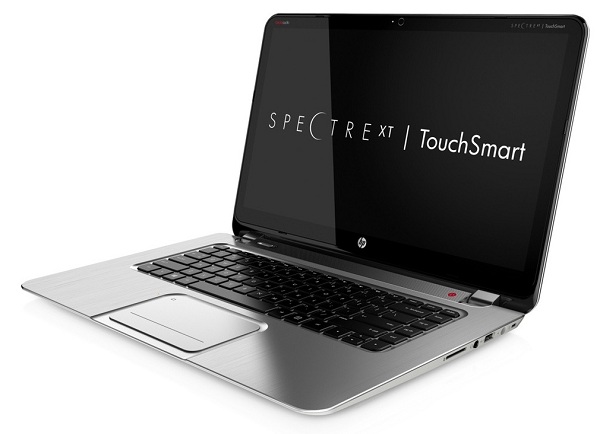
Spectre HP TouchSmart XT

Design and Display

The Spectre HP TouchSmart XT has a design class made ​​of metal and glass, with a classic, elegant and contained dimensions that allow easy portability despite having a slightly larger screen than the average of 15 ultrabooks , 6 ". The laptop has a thickness of 17.9 mm and a weight that is in the 2.1 kilos, a competitive figure though slashing the weight limit on ultrabooks are placed. The touchpad is glass and has an attractive finish. Also of note is the keyboard, which is backlit.

Furthermore, this computer screen is one of its main betting because we have a good quality IPS panel with a size of 15.6 "and a Full HD resolution of 1,920 x 1,080 pixels. Harnessing the capabilities of Windows 8, the screen is touch nature and allows up to 10 simultaneous pressure points.
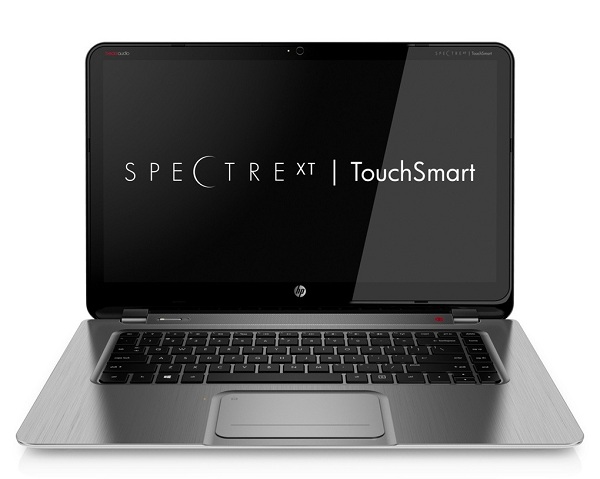
Spectre HP TouchSmart XT

Processor and memory

In its basic configuration the Spectre HP TouchSmart XT incorporates a processor Intel Core i5-3317U dual core, with a power of 1.7 GHz per core. Thanks to technology chip company can reach a maximum of 2.6 GHz and also work with four processing threads (as actually we counted four physical cores). As for the RAM, 4 GB will in the initial configuration, with the possibility of extending this capability to 8 GB of RAM.

As usual with ultrabooks, not added a graphics card, but are used in the integrated graphics processor Intel. This is the Intel HD 4000 Graphics graphics. According chip company performance can be obtained in some processes that doubles the previous version of the Intel HD 3000 Graphics. In the case of internal memory, HP chooses a card integrate SSD 256 GB, a very interesting bending capacity so that found in most ultrabooks (but also increases its price). The cards offer a fast SSD disk access and system boot much higher than traditional hard drives. Furthermore, by incorporating a flash memory, not physical parts and does not suffer the wear and tear of the mechanical parts of traditional disks.
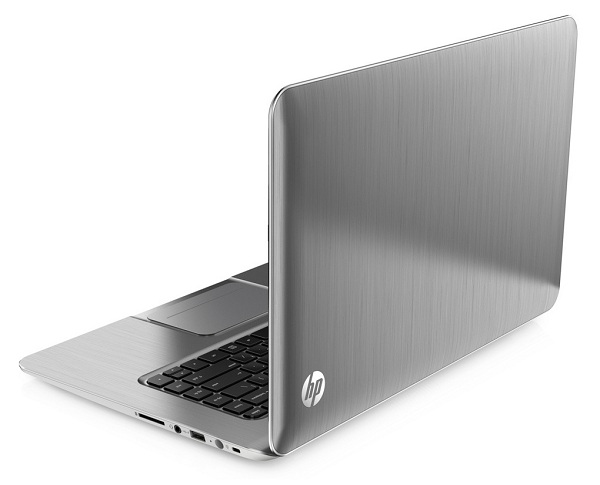
Spectre HP TouchSmart XT

Systems and Applications

The system chosen by the Spectre XT HP TouchSmart is Windows 8. Microsoft's new system is designed to leverage the capabilities of touch screens, with a main interface very similar to the Windows Phone mobile platform. For those who do not know this environment, the different options and programs are distributed in brick along the screen (many of them have the option to display real-time notifications).

Some of the strengths of this interface are the tight integration of social networks (can manage our accounts of Facebook , Twitter or LinkedIn from one app), the contacts or the ability to merge multiple accounts. In addition, maintaining the proper desktop interface and a Windows 7 compatilidad almost complete with this platform applications.

In addition, the app store for Windows 8 should soon become a mainstay for the development of this system. Proof of this is that Microsoft expects to reach 100,000 apps in February next year. Anyway, we have to wait to see how users react to Windows 8 and if this system gets to repeat the success of previous versions. And is that Microsoft has proposed a new platform with which there is much expectation, but also many doubts.
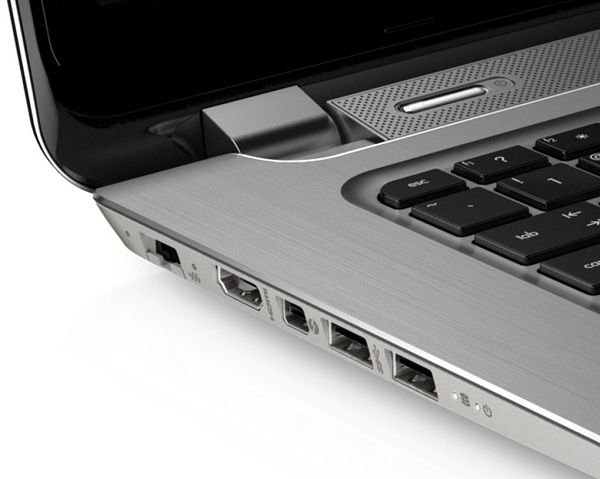
Spectre HP TouchSmart XT

Connectivity and peripherals

In the field of connections XT HP TouchSmart Spectre mainly emphasizes Thunderbolt inclusion of a port. This technology was already present in Apple hardware but their inclusion in the PC had been delayed enough. The Intel technology enables a transfer rate that doubles the USB 3.0 protocol and is multiprotocolar, ie can connect various devices such as monitors or external hard drives through the same connector. On the other hand, also has two USB 3.0 ports, a USB 2.0 port or an HDMI port with which you can display high quality content on your TV or monitor. The Spectre HP TouchSmart XT also features an Ethernet port, and WiFi and Bluetooth connections.

To make the ultrabook videoconferences incorporate TrueVision HD camera. A major absences of this team is that of an optical drive, considering the size of the team.
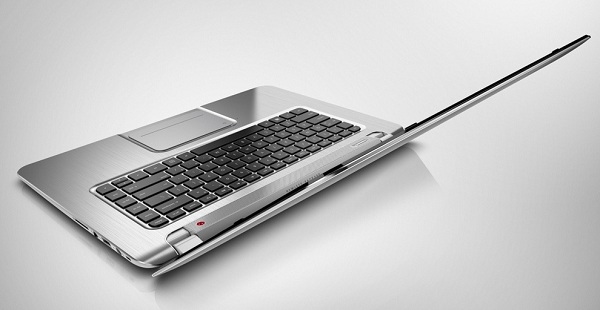
Spectre HP TouchSmart XT

Autonomy and prices

The autonomy of ultrabook HP reaches six hours. It will be available in the Spanish market from December at a price of around 1,400 euros (we are awaiting official confirmation). In short, this is a first-class team with quite powerful specifications, especially the presence of a touch screen with full HD or Thunderbolt port. However, users who want to get this team will have to make significant outlays, and that may be one of its main buts.

If you want to support our job please visit our links, we have a lot of offers for you, if not you can also visit our top 10
HP Envy 4, complete analysis

HP Envy 4,  complete analysis

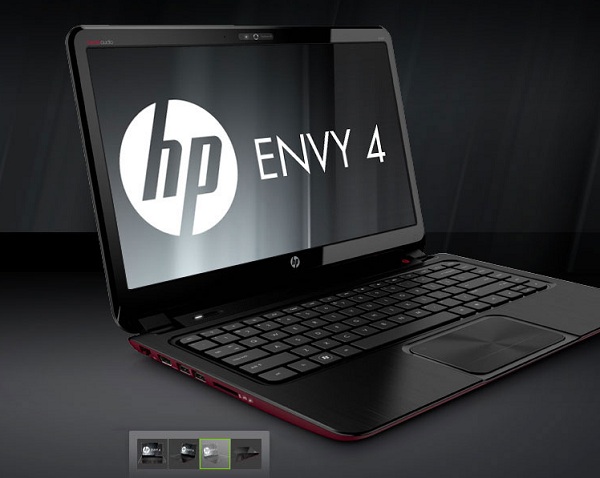
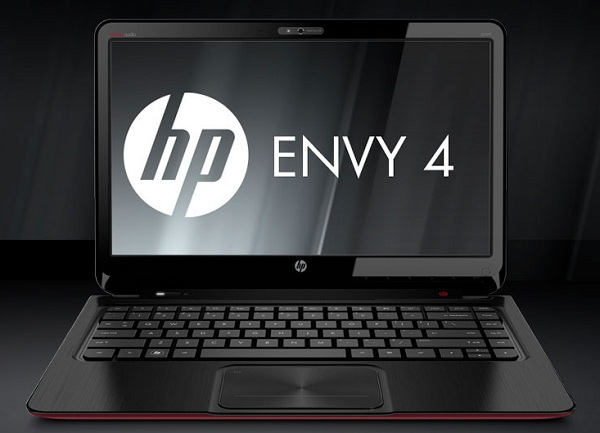
The new HP Envy 4 is a HP ultrabook that complies with the essential features that should have these devices but flees the set size (up your screen to 14 inches instead of 13.3). Its hybrid storage system, but a step below the performance we get with an SSD integral to enjoy a very interesting starting speed (Windows 7 is able to start in just over half a minute if we have few applications installed) .

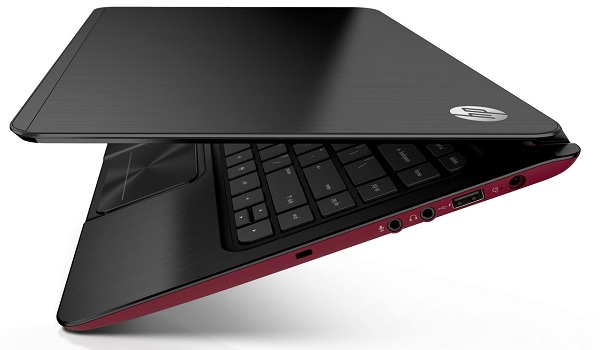
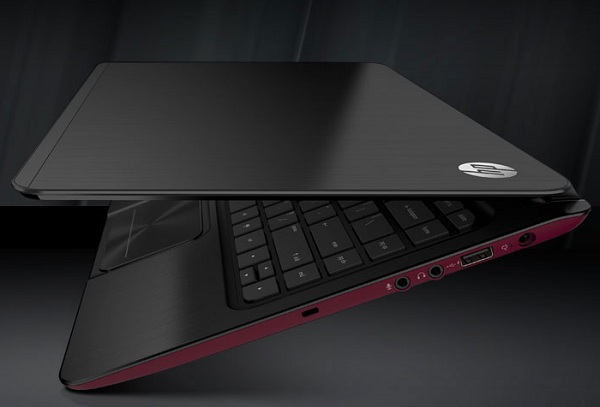
The HP Envy 4 looks quite attractive design which stands out above all the lower case of red and a backlit keyboard. Weighing in at 1.8 kilos and a range of 8 hours, you can become the perfect traveling companion. And all at a very competitive price of 800 euros that can turn this ultrabook on a computer that can accelerate the sales of these fine and powerful equipment that should become the future of laptops. We tell you every detail of the HP Envy 4 through this article thoroughly.

HP Envy 4

Design and Display

One point of this laptop that have been most care is its design. Without being as thin or light as other ultrabooks the market (its thickness is 1.98 inches and weighs 1.8 kilos) has a sleek design that stands out above all the lower case red and the good size of the trackpad. One advantage that we find when using the HP Envy 4 is its backlit keyboard, which is useful if for example we are writing at night or are traveling in low natural light. The only drawback is that the screen can give the impression of being very resistant. The full dimensions of this laptop are 34 x 23.58 x 1.98 inches and weight, as we advance, is 1.8 kilos, which makes him a device that offers great mobility.

On the other hand, the screen is a backlit LED panel that offers a good light allowing us to use even in daylight. The panel resolution is 1,366 x 768 pixels.

HP Envy 4

Processor and memory

The HP Envy 4 features one of Intel Core processors third generation. Intel's new chips improve on their predecessors in energy efficiency by about 20% on average, allowing greater autonomy to the teams. The model chosen is the Intel Core i5-3317U dual-core with a power of 1.7 GHz and the ability to increase to 2.6 GHz of power thanks to the Intel Turbo Boost Technology 2.0. On the other hand, thanks to Hyper-Threading technology can use the processor as if in fact we counted four cores instead of two. The computer's RAM in base is 6 GB, with the possibility to expand to 8 GB.

As usual in the vast majority of ultrabooks, graphics HP Envy 4 will be those that are integrated on the same processor from Intel . The new family of Intel HD 4000 graphics with the greatest advantage of being compatible with DirectX 11, and offers a slightly higher graphics performance than previous versions (although Intel claims that in some cases even double the graphics performance over the Intel HD HD 2000 and Intel 3000.

As computer memory, HP is committed to a hybrid storage system that combines a traditional hard drive with a smaller SSD to install the operating system and store the cache files. This SSD, 32 GB, combined hard disk 500 GB, offers boot times and very fast disk access and also allow to have a significant amount of storage. Of course, not enough to match the performance of an SSD drive solo, but allows a quite remarkable speed bounds.

HP Envy 4

Multimedia and Connectivity

One of the main attractions within the multimedia components of the device is the inclusion of sound technology HP Beats Audio, which allows for greater clarity and quality when listening to music or movies on the computer. This system consists of two speakers and a subwoofer. Audio Beats addition, the HP Envy has a web Amara c True HD which has a microphone built and will allow video conferencing with friends or relatives.

Within connectivity, it should be noted that unlike many who sacrifice ultrabooks connections for balance in the design, the HP Envy 4 takes advantage of a somewhat higher thickness to integrate a full range of connections. Thus we have for example 2 USB 3.0 ports, a data transfer protocol much higher than USB 2.0 (which we have another port).

Furthermore, this laptop features an HDMI port to connect the laptop to a monitor or TV. But if we want to enjoy HD content wirelessly, we can use technology incorporated WiDi (Wireless Display), which through a receiver connected to the television allows streaming of our content.

In the field of network connections will have an Ethernet port, Bluetooth and WiFi.

HP Envy 4

System and applications

The operating system that looks this laptop is Windows 7 in its 64-bit Home Premium, the most widely used market and the fastest selling in history, as announced by Microsoft. However, one of the attractions that are now buying a laptop is that Microsoft offers an upgrade program with which the user can move to Windows 8 paying only about 30 euros. An advantage that can convince many users hesitate to wait to the next version of Windows to buy a computer.

This laptop will have some applications preinstalled HP's own that can improve team performance, and a license of sixty days of Norton antivirus. Among these tools the company would like to highlight HP SimplePass, an application that securely stores all passwords and login data of our Web surfing (always ask before the user) and then we can open these pages and services Through the program or various combinations of keys. Also interesting is the HP CoolSense that controls the fan operation.

HP Envy 4

Range and prices

The new HP Envy 4 has a four-cell battery that offers a good range of about five hours of regular use (eight hours is the official figure). This is a clear incentive to use this notebook when away from home, if we are taking a trip or if we move down the street. The HP Envy 4 is now available in Spain at a price of 800 euros. In short, this is a very attractive laptop that features a series of top-level specifications but getting a competitive price by giving up a larger SSD.

Weight and dimensions 34 x 23.58 x 1.98 cm
1.8 kilos
Memory Hybrid System 32 GB SSD + 500 GB HDD
Screen
LED BrightView 14 "(1366 x 768 pixels) backlit
Processor and RAM Intel Core i5-3317U third generation dual-core 1.6 GHz and 6 GB of RAM (expandable to 8 GB).
HD 4000 Graphics Processor Intel Graphics
Sound system
HP Beats Audio with two speakers and a subwoofer
Controls and connections Windows 7 Home Premium 64-bit
Output 3.5-mm headphone jack
Wireless: Bluetooth 3.0, WiFi, WiDi
Wired: 1 x USB 2.0, 2 x USB 3.0, 1 x HDMI, Ethernet port
Autonomy Up to 8 hours with 4 cell battery


If you want to support our job please visit our links, we have a lot of offers for you, if not you can also visit our links

HP Envy 6 UltraBook, in-depth analysis

HP Envy 6, in-depth analysis

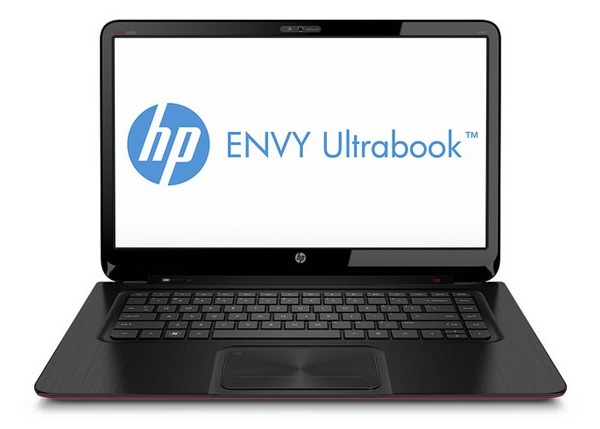
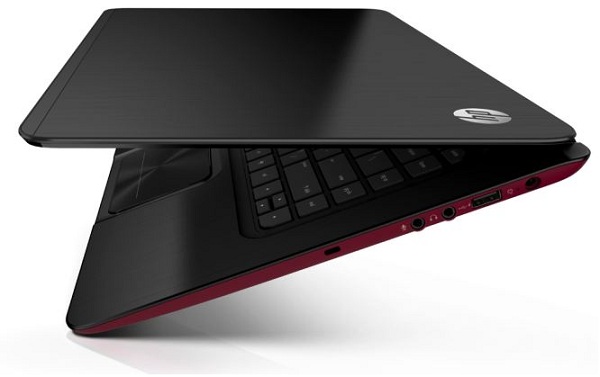
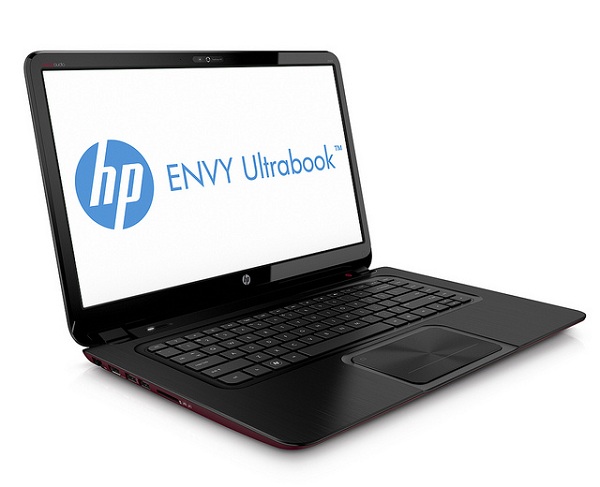
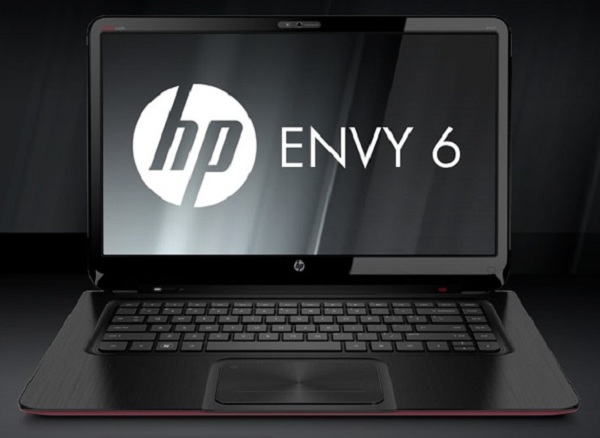
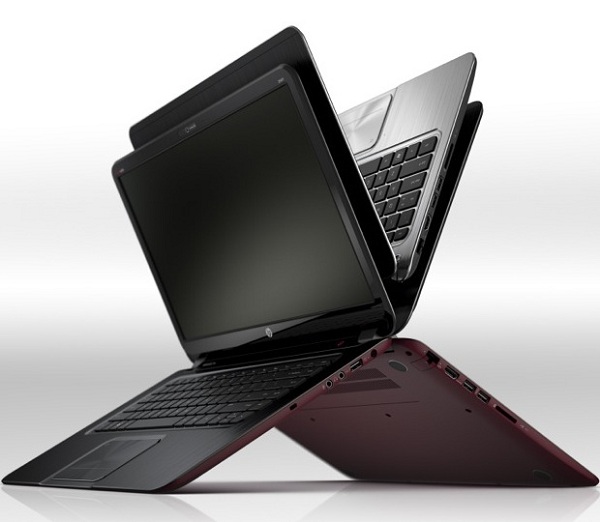
HP launched its HP Envy computers, laptops that are halfway between traditional laptops and ultrabooks, with a fairly modern design and specifications that make them a popular option to consider if the disbursement is to be achieved involving the Most market ultrabooks. The HP Envy 6 is the largest stake, with a 15.6 "but with very compact dimensions and a measured weight that emphasize the ability to transport it without much trouble.

It is clearly oriented towards a portable multimedia use. Although it has a very powerful graphics, you can enjoy films and audiovisual content fluently. Stresses at this point the sound system with 2 HP Beats Audio speakers and a subwoofer built. One of the most attractive laptop configuration is the inclusion of a hybrid system that combines storage of smaller capacity SSD with 320 GB hard disk to speed up system boot time.

HP Envy 6

Design and Display

The new HP Envy 6 has a modern design, with dimensions quite compact considering the screen size of 15.6 "that counts. Specifically, the dimensions are 37.4 x 25.28 x 1.98 inches and has a weight of 2.15 kilos, making it easy to transport. In terms of design, highlights the notebook's bottom in red and a backlit keyboard with keys spaced so that it is easier to type.

As for the screen, we have a panel LED BrightView 15.6 "and a resolution of 1,366 x 768 pixels. Perhaps in this aspect is missing that HP has not chosen a panel with higher resolution to make better use considerable size of the screen.

Processor and graphics

Within the HP Envy 6 we find according to the company with several processor options as the second generation of Intel Core as the third generation have been released this year. However, the initial configuration will have a processor Intel Core i3-2367M dual core with a power of 1.4 GHz per core. With Hyper-Threading technology, we can actually work as if we counted four processing cores.
HP Envy 6
As for the RAM, the capacity will be 6 GB basis but may extend up to 8 GB. Perhaps one of the weakest aspects of this team considering its multimedia orientation will be in the charts. And is that graphics performance is entirely dependent on integrated graphics processor Intel . The HD 3000 Graphics will be used to watch movies smoothly and to run many games that are not too pointers (without much fanfare graphics, though). For all other daily activities charts will be sufficient to obtain good performance and to allow the autonomy of the team reach the right number of nine hours.

Storage and System

The new HP Envy 6 uses a hybrid storage system, an option that is becoming popular with laptops who want to reduce the final price without compromising on having the advantages of an SSD. These two albums, the first of them a 32 GB SSD device and the second hard disk 320 GB or 500 GB. The operating system is stored on the SSD, as well as cache files. This allows that we have a boot time much faster than in the case of hard disk and the disk access time more competitive.
HP Envy 6
Although the final yield is not as advanced as in the case of having one with an SSD (and reliability is a step down due to friction experienced by the hard drive), this option has the other advantage of having much more space to store our movies, applications and images. A more advanced configuration of equipment can opt for a 500 GB hard drive instead of the basic 320 GB.

The operating system chosen for the HP Envy 6 is the Windows 7 Home Premium.

Peripherals and connectivity

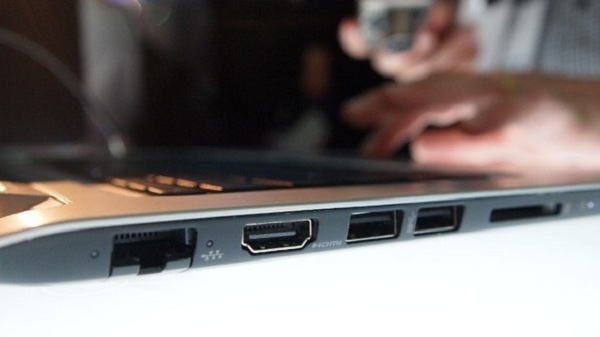
A disadvantage of the use ultrabooks is most often renounce the quality of the connections due to the fineness of the devices as a greater variety of ports causes an unsightly appearance in the computer. Being a bit thicker, the HP Envy 6 bet to incorporate a wide range of connections. Thus we have two USB 3.0 (a protocol that facilitates data transfer speeds that are ten times greater than USB 2.0), two USB 2.0 ports, an HDMI port and an Ethernet connection.
HP Envy 6
Of course, this laptop features WiFi and Bluetooth. As for peripherals, will have a HP TrueVision webcam to conduct high quality videoconferencing. Something amazing in this team is that despite its size does not count on an integrated optical drive (or DVD player or Blu-Ray).

Autonomy

One of the strengths of the new HP Envy 6 is the ability of your battery. According to HP, can reach up to 6 hours of battery with battery, a negligible amount considering the size of this team. However, as usual will endure as long as this equipment with a more intensive use will drop to an average of five or six hours (manufacturers should agree to use a battery measurement system closer to the actual use).
HP Envy 6
Prices and Reviews

The new HP Envy 6 is now available at a price of $700. It is a good choice for users who want a computer that has a thickness and a weight moderate and high autonomy, without giving a screen (usually ultrabooks small screen opt for a 13.3 "). If you join it at a price lower than the average of the ultrabooks, which stands at $900 , we have an attractive option that will please many users. Of course, maybe you are missing that being a computer-oriented multimedia use there is a dedicated graphics card more powerful than Intel integrated graphics and higher resolution screen.

Technical

If you want to support our job please visit our links, we have a lot of offers for you, if not you can also visit our links

Technical
Memory Hybrid System 32 GB SSD + 320 format GB hard drive format
Screen LED 13, 3 "inch backlit display with a resolution of 1,366 x 768 pixels
Processor and RAM Intel Core i3-2367M dual core and 4 GB of RAM
Camera 1.3 Megapixel Webcam
Controls and connections Windows 7 Home Premium 64-bit
Output 3.5-mm headphone jack
Wireless: Bluetooth 4.0, WiFi 802.11 b / g / n
Wired: 1 x HDMI 1.4, 1 x USB 2.0, 2 x USB 3.0, 1 x Card Reader
Sound system with 2 HP Beats Audio speakers and a subwoofer
1.3 megapixel webcam
Autonomy 9 hours operation used theoretical

Como nacio el nombre de las grandes compañias como IBM, APPLE, ORACLE, etc

Como nacio el nombre de las grandes compañias como IBM, APPLE, ORACLE, etc.

Muy interesante esta infografía que encuentro en Bits & Pieces acerca de cómo algunas de las principales compañías tecnológicas del mundo obtuvieron nombre que hoy muchos de nosotros utilizamos casi a diario. Es curioso, porque muchas veces hablamos de Apple sin realmente caer en la cuenta que para los angloparlantes es como si estuviesen hablando del nuevo Manzana Air 2011, o que nombres tan estrambóticos como Yahoo! ya nos suenan perfectamente normales y en realidad tienen un origen menos rebuscado del que podríamos pensar.

http://newtonpoetry.files.wordpress.com/2008/03/original-apple-logo.jpg


Me he permitido ampliar el listado con otras muchas compañías que faltaban y cuyos orígenes no son menos curiosos, si conocéis alguna más sentíos libres de dejarlas en los comentarios:

  • Adobe: Detrás de la casa de uno de los fundadores pasaba un río en Los Altos, California, pasaba un pequeño río que se llamaba así, acabó poniéndole nombre a una de las más importantes compañías tecnológicas de todos los tiempos.

  • Apple: Algo tan simple como que es la fruta favorita de Steve Jobs. En los inicios de la compañía esta llevaba un retraso de seis meses para escoger un nombre que la representase a efectos legales, así que Jobs amenazó a sus socios que llamaría a su compañía Manzana si no se les había ocurrido un mejor para las 5 de la tarde. Evidentemente, no se les ocurrió.

  • Apache: No es una compañía en sí, pero tampoco está de más saber que debe su origen a que sus creadores empezaron escribiendo patches para el NCSA httpd, por lo que escogieron ‘A PAtCHy Server’ como acrónimo para crear Apache.

  • Canon: Originalmente el Precision Optical Instruments Laboratory (Laboratorio de Instrumentos Opticos de Precisión) se acabó por poner el nombre que escogió para su primera cámara, la Kwannon, que derivó en Canon que a su vez viene de la palabra griega Kanwn (vara de medir) y que acabaría derivando en la latina Canon que significa la norma, el patrón.

  • Cisco: No se trata de un acrónimo, como puede parecer en un principio, sino de la abreviatura de la maravillosa ciudad de San Francisco, aunque su sede se encuentra actualmente en San José.

  • Compaq: La unión de COM, para referirse a computadora, ordenador, y PAQ, que hace referencia a objeto compacto, pequeño.

  • Corel: Este al igual que Compaq sí es un acrónimo, deriva del nombre de su fundador, Michael Cowpland, que fundó el COwpland REsearch Laboratory, Laboratorio de Investigación Cowpland.

  • Google: El origen de la compañía del buscador sí que es relativamente conocido, al intentar encontrar un nombre para el número de cosas que podrías encontrar con el motor de búsqueda le dieron el nombre de Googol, una palabra de origen ruso y connotaciones matemáticas que representa un 1 y cien 0 (número mayor, por cierto, que el número de átomos que hay en todo el universo). Sin embargo, un inversor escribió mal el nombre y puso ‘Google’, el resto, como suelen decir, es historia.

  • eBay: Pierre Omidyar, el fundador, poseía una compañía llamada Echo Bay Technology Group, al ir a registrar el dominio se dio cuenta de que Echo Bay Mines, una compañía de explotación minera de la zona ya lo poseía así que tuvo que cambiar el nombre y se quedó en ebay.com.

  • Hitachi: en japonés significa literalmente ‘salida del sol’, curioso que posteriormente se aliasen con Sun Microsystems.

  • Hotmail: Su fundador tuvo la idea de un cliente de correo al que cualquiera podría acceder a través de Internet. A la hora de ponerle el nombre tenían bastante claro que tenía que incluir la palabra Mail (correo) en inglés, así que acabaron con una que era una mezcla entre eso y HTML, de hecho al principio el nombre técnico era HoTMaiL. Tiempo después sería adquirida por Microsoft.

  • Hewlett Packard: Esta es de las buenas, Bill Hewlett y David Packard tiraron una moneda al aire para decidir si su compañía se llamaría Hewlett Packard o Packard-Hewlett, o lo que es lo mismo, el origen del nombre de una de las compañías más importantes del planeta se decidió al azar, no dudéis que un 50% de los universos paralelos la compañía se llama Packard Hewlett (o no).

  • IBM: más simple imposible, son las siglas de International Business Machines, o Máquinas de Negocios Internacionales, por raro que suene al traducirlo al español.

  • Intel: Originariamente se iba a llamar ‘Moore Noyce’, por sus fundadores Gordon Moore y Bob Noyce, pero curiosamente ya estaba cogido por una cadena de hoteles (En serio ¿cuáles eran las posibilidades?) así que acabaron llamándola Intel como acrónimo de Integrated Electronics, todo un acierto sin duda, se me haría raro escribiros esto usando un procesador Moore Noyce i5.

  • Kodak: El nombre de la marca y la primera cámara de fotos que de la compañía que llevaba el mismo nombre se llaman así porque a George Eastman, el hombre que fundó la compañía, le encantaba la letra K, le parecía que sonaba rotunda, fuerte y que tenía presencia. Quería que el nombre empezase y acabase por K, así que al final dio con Kodak, que supuestamente es similar al ruido que hacía el obturador de las antiguas cámaras al tomar la foto.

  • LG: Es la combinación de los nombres de dos compañías que coreanas que se fusionaron para dar lugar a la que conocemos hoy en día, Lucky y Goldstar.

  • Microsoft: No es demasiado difícil, el acrónimo de Microcomputer Software, al principio llevaba el guión: Micro-soft, posteriormente lo acabaron quitando, menos mal.

  • Motorola: La Victrola era una radio fonógrafo de la histórica Victor Talking Machine Corporation, increíblemente popular en la época en la que a Paul Galvin, el fundador de la compañía, que originariamente se dedicaba a fabricar radios para coches, se le ocurrió el nombre de Motorola al juntar las palabras de Motor (en referencia a los coches) y Victrola.

  • Nikon: del japonés Nippon Kogaku, que significa Óptica de Precisión.

  • Oracle: Larry Ellison y Bob Oats, sus fundadores, trabajaban en un proyecto de la CIA cuyo nombre en clave era Oráculo (Oracle), ya que debía ser capaz de responder a todas las preguntas. Muy curioso.

  • Red Hat: Marc Ewing, creador de la distro de Linux, era conocido en su época estudiantil por usar un sombrero rojo, que un buen día perdió, angustiado, estuvo buscándolo durante muchísimo tiempo. En el manual de la primera versión de Red Hat hay un llamamiento de Ewing para que quien tenga su sombrero se lo devuelva.

  • Sony: Del latín Sonus, que significa sonido y sonny, un argot norteamericano para refererirse a un persona joven, algo así como ‘hijo’ o ‘hijito’ (viene obviamente de Son).

  • SUN: Fundada por 4 estudiantes universitarios, responde al acrónimo de Stanford University Network.

  • Xerox: su fundador, Chestor Carlson quiso remarcar con el prefijo griego -xer, que significa seco, la calidad de sus copias, que eran en seco y frente las de la competencia en la época que usaban papel especial y copias húmedas al contacto.

  • Yahoo: De la famosa novela de Jonathan Swift Los Viajes de Gulliver viene la palabra Yahoo, inventada por el propio Swift y que hace referencia a una ser repulsivo en apariencia y apenas humano, sus fundadores Jerry Yang y David Filo escogieron ese nombre porque se consideraban a sí mismo Yahoos. Curiosamente, en sus inicios el nombre era algo más extenso: ‘Jerry´s Guide to the World Wide Web’, la guía de Jerry a la World Wide Web, tampoco faltan los maliciosos que dicen que viene de ‘Yet Another Hierarchical Officious Oracle’.

http://cdn.advancedpcmedia.com/img/logo/MicrosoftOldLogos.pnghttp://nikhilmisal.files.wordpress.com/2009/11/xerox.png

Para termina una última curiosidad, el color azul, rojo, amarillo y verde de las letras de Google hace referencia a que el primer ordenador donde funcionó estaba hecho con LEGOs, compuestos por estos colores.

Related Posts Plugin for WordPress, Blogger...

Special Offer for Readers