Showing posts with label gps. Show all posts

Using the Samsung Galaxy Tab 7.0 as GPS for your car

Using the Samsung Galaxy Tab 7.0 as GPS for your car

One of the coolest features of our smartphones and tablets is that of GPS . Virtually all smartphones and tablets on the market and we have this tool that allows users to enjoy some applications and services that require location, but also use their devices as a GPS navigator, a function that previously only had occasion to run on a dedicated browser, type TomTom , to cite one example trite. The fact is that at this point, any device that incorporates SIM card can function as a navigator in the car, even offering voice instructions to drivers to not have to be compromised at the wheel. If you have a Samsung Galaxy Tab 7.0 and Samsung Galaxy Tab 2 7.0 and want to start enjoying this feature, today we will tell you some of the keys to run the service in a quick and easy. Here are some simple steps to follow-instructions.
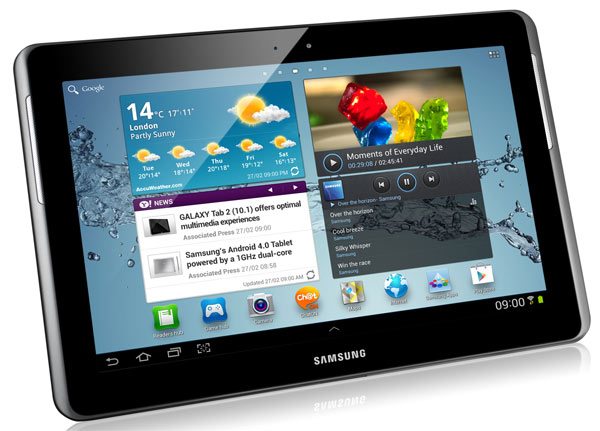
Samsung Galaxy Tab 7 GPS 01

Prepare your tablet

First, you should know that the Samsung Galaxy tab 7 may be used as a GPS in the car. The screen size seven inches, is the maximum allowed by the Directorate General of Traffic (DGT), so that you can install in your vehicle without any problems. Later we will give some instructions to add it to your car in the most suitable. Do not worry about it. However, to activate your Samsung Galaxy Tab 7 connection first must turn GPS tablet.

The device has a receiver for global positioning system also known as GPS, which you can activate by clicking the Settings section by selecting Location Services. Once inside, select the function Use GPS satellites to enable the system to find your location and use it to perform the services of Google .

We remind you that the GPS functions consume a lot of energy, so if you want to keep the battery of your phone and do not need this service, the better you disable. You may have problems with the GPS if bad weather near electromagnetic fields or high voltage. It also does not touch or cover the area surrounding the antenna with your hands or other objects while using the GPS functions.
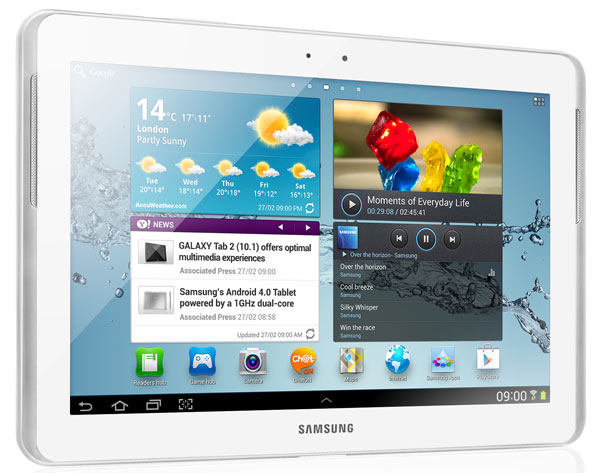
Samsung Galaxy Tab 7 GPS 02

Active Navigation

Once activated the GPS, you have to open the Navigation application, which is responsible for providing the navigation service. Suffice you access to applications and tap on the Navigation icon. Then you will have to enter the destination. You can do this by typing (the traditional way) or even orally, because the device will recognize the site if you say it in a clear, vocalizing. Another interesting option is to enter your destination by clicking on a contact that has built-in address. So it will be much easier to go to a place with which you are familiar. Same with the addresses you've added as favorites. From that point, the application will start to offer navigation voice instructions. If you access the configuration, you will also have opportunity to add additional layers to see the road conditions, traffic and other factors that may affect your trip.

Adapts the device to the car

As I said at the beginning, it is best done with a system that allows you to carry the Samsung Galaxy Tab 7.0 in the front of the car. In the official store of Samsung, for example, sells under the Navigation Kit ECS-series name V980BEG Galaxy Tab 7.0 which is compatible with both versions of the seven-inch tablet. Works caught with a sucker (in principle, and as indicated by Samsung, high suction power) and also serves to charge the battery while driving, which is also an added advantage. The platform meets all safety regulations.
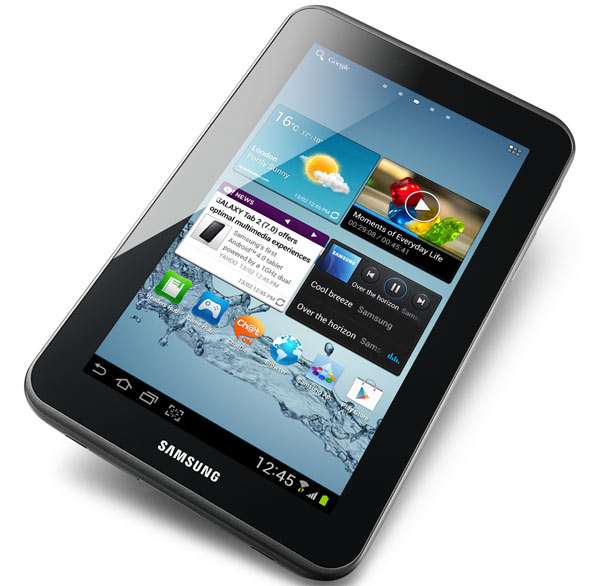
Samsung Galaxy Tab 7 GPS 03
If you want to support our job please visit our links, we have a lot of offers for you, if not you can also visit our top 10
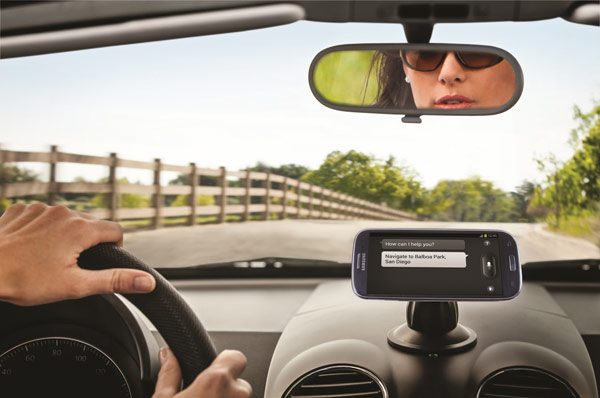
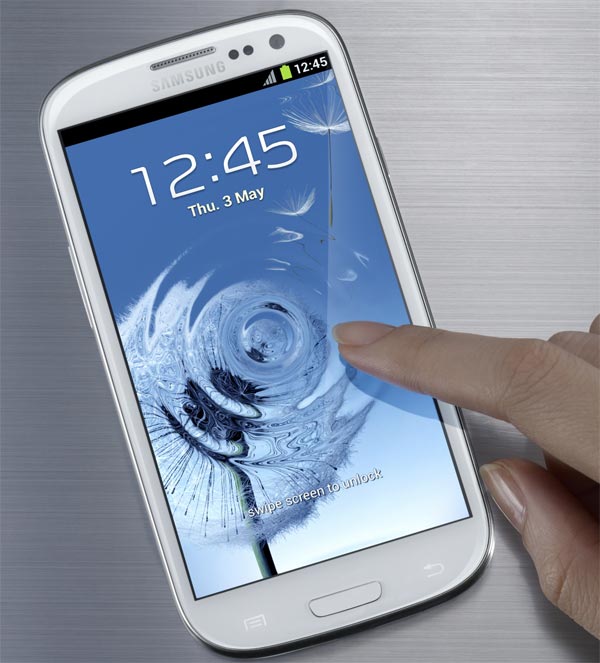
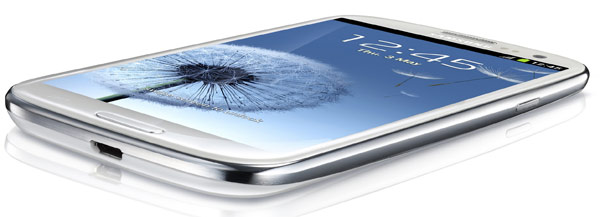
How to Use the Samsung Galaxy S3 as GPS for the car

How to Use the Samsung Galaxy S3 as GPS for the car

The Samsung Galaxy S3 is a mobile phone that stands out for its technical characteristics, but makes it even more smart features, useful for carrying out a lot of tasks. One of the most interesting, certainly, is the function of GPS . The phone comes prepared with all the technologies needed to function in all applications requiring geolocation features, but strictly as a GPS navigator. Thus, the user is not forced to purchase a dedicated browser to use the device as a GPS in your car and can configure routes in a simple and even receive voice instructions. Is certain is that this option is already available in previous versions of Samsung Galaxy S , but this time we want to help set up and prepare your Samsung Galaxy S3 for use in your car as a GPS navigator.

samsung galaxy s3 13

Prepare your phone

Before starting to use GPS as a navigator for the car you should know that there are many services that run through this tool already installed on your Samsung Galaxy series S3. We refer to the Latitude service (useful for finding our location, our friends and share) to Google Maps (owned by Google and will free us to see the maps from our location, and mark places consulting sites as favorites). To activate the satellites GPS will have to access the Settings section and select Location and Security. In this section you will find the Use GPS satellites, always remembering that this option requires a higher consumption of battery.

Samsung Galaxy S3 02

Active navigation

As I indicated at the beginning, the Galaxy S3 is a phone that offers GPS functionality for voice instructions. To activate the navigation service will need to access the application by clicking on the Navigation icon for this application. Once inside, you have to enter your destination and you do it in different ways. One of the most comfortable is by voice, ie, pronouncing the place where you're headed in the clearest way possible. Another option if you want more traditional, is to introduce the destination via the virtual keyboard. You can also do this by choosing any of the addresses of your contacts. Thus, if you see your friend who lives in Burgos, you can simply tap on the contact tab and activate navigation. Finally, you can select your destination from the list of favorite sites that you have marked in advance.

Keep your software updated

The navigation software must be updated, so your best option is that you remain aware of all the updates that Google makes Google Maps service and timely launches Samsung to improve services and GPS navigation. Within the application will have the option to see alternative routes, detailed instructions and install additional layers to obtain information on traffic routes in real time, view the satellite information, check the status of the car and find gas stations, banks and ATMs or restaurants. All of this information in real time will be interesting to know the current state of the roads, avoid roads collapsed and get real-time alternative directions.

samsung galaxy s3 14

Adapt your car

To carry the Galaxy S3 in your car running as GPS have to purchase an accessory that allows you to integrate your phone - through a legal mechanism - in the support car. The company Samsung sells a kit car navigation that is engaged with suction cup and is compatible with the Samsung Galaxy S3 and any smartphone of 4 and 5.3 inches (this includes the Samsung Galaxy Note ). The support you can enjoy a better view of the routes without getting in danger at the wheel. The device also helps you to charge the phone battery without losing energy only. It costs 30 euros and is available in the online store Samsung .

If you want to support our job please visit our links, we have a lot of offers for you, if not you can also visit our top 10
How to use Samsung Galaxy S SCL as a GPS

A few days ago we released a Samsung Galaxy S SCL , acquired through an offer of Movistar by zero euros for freelancers. Indeed, as we tell you in another article , Movistar offers this phone instead of the Samsung Galaxy S original, since this first and stocks have been exhausted, in most cases. 

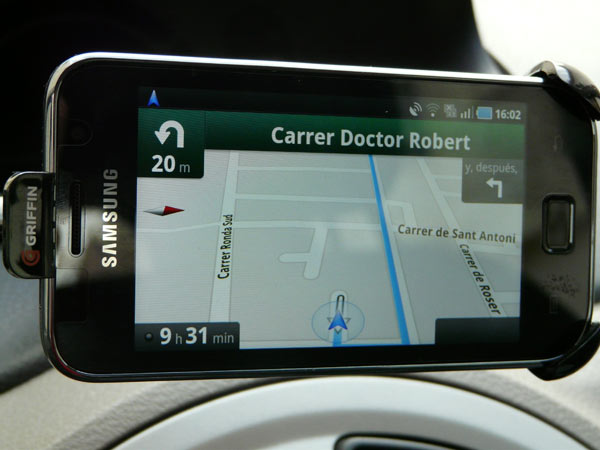
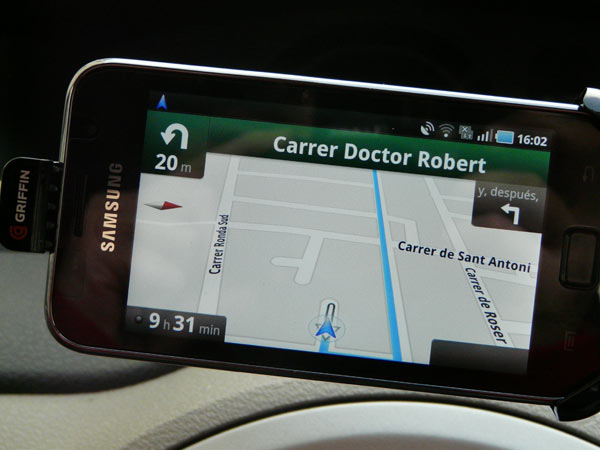
The fact is that this holiday we decided to take a trip through some cities of Andalusia and by route, we wanted to test the browser GPS offering the Samsung Galaxy S SCL through Android . Anyway, on a route as long as this, the browser is indispensable, especially when entering the cities and to search for a hotel, for example. If you're not used to dedicated GPS devices, you'll find in this type of terminal a real lifesaver for your orientation.

Samsung-Galaxy-SCL-01

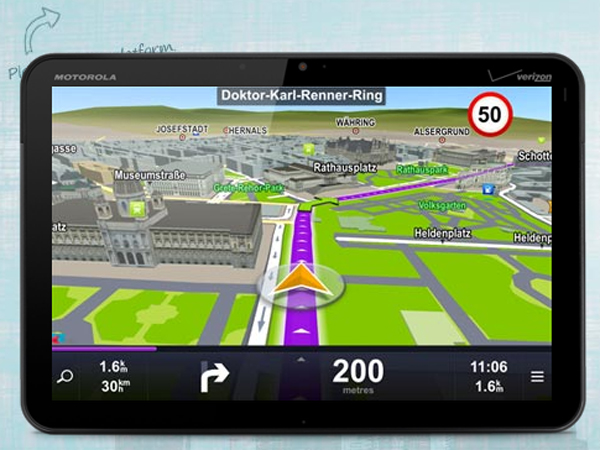
The first thing we did was find the most interesting applications to use the Galaxy S SCL like a GPS navigator. The problem is quite clear in these cases: the cost of shipping packages is quite expensive if you want to make a point using the browser. If you use it intensively, we recommend the purchase, although with reservations. The software was initially tested Sygic, one of the most popular, which is available for Android in a trial that only lasts a week. The download and installation are relatively simple process, but you will have to be patient and wait about 15 minutes with a connection Wi-Fi .

The truth is that experience has been relatively good, with some reservations that we will discuss. Installation is simple and fairly complete user interface. The instructions provided voice is pleasant and in fact can be configured in a variety of languages, which is always appreciated because it also includes the official languages ​​of the peninsula.

The problem is that the version is somewhat deficient. Before we left we tried travel in areas known and the errors are persistent. Some maps, if not the majority, are outdated, so that the driver has no other q ue to improvise on the fly. Works well in large cities, but is lost in that there are roundabouts and counting of outputs. In short, do not blindly trust the browser.
sygic

Our experience was more positive about the trial ended and started using the Google browser. You will find the application by clicking on "Navigation" in the phone menu and you can configure your routes (by car or on foot), typing or saying aloud the destination. Then - and if location services are working properly - you'll see that the system traces the route and begins to give precise instructions to reach the selected site. Voice prompts are not so nice, we say because the tone of the girl is pretty robotic, but failures are less clear. Clearly, some guidelines are wrong, we realize that by using the GPS on familiar roads - but the response of the device is remarkable.

One of the main disadvantages, in this case is related to service disconnections. Thus, the GPS is lost steadily and do not choice but to reboot the system to reconfigure the route. Beyond these faults, the free GPS SCL Samsung Android Galaxy S has more than fulfilled, especially considering that a system is standard on the phone. 100% recommended and useful.
Samsung-Galaxy-SCL-02

Recommendations: Acquire a charger for the phone, because with the browser enabled battery drain is much more pronounced. The charger is usually quite cheap, since it goes from 10 euros and can be connected to the cigarette lighter. You can also buy a universal bracket that will make driving much safer - especially if traveling alone - to see the instructions at a glance.

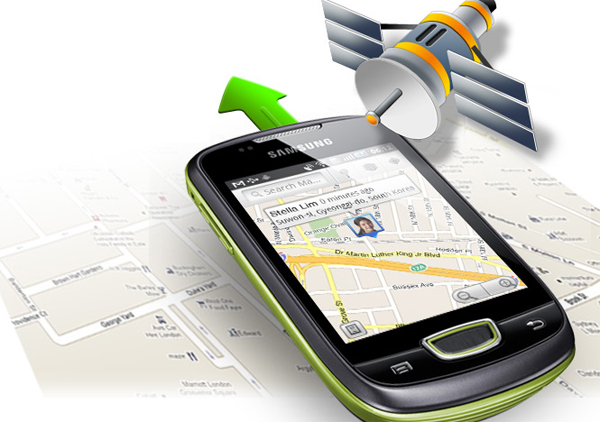
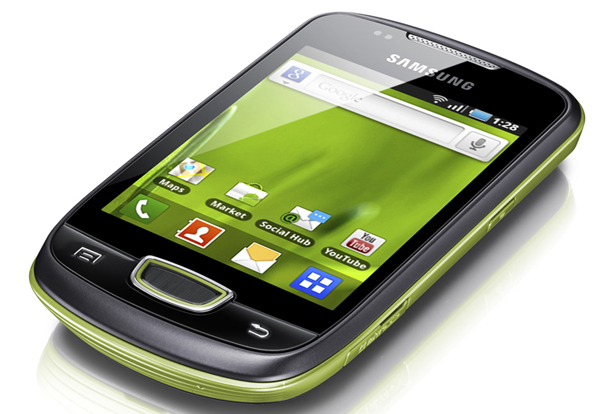
Truco Convierte tu Samsung GALAXY MINI en un GPS

Truco Convierte tu Samsung GALAXY MINI en un GPS


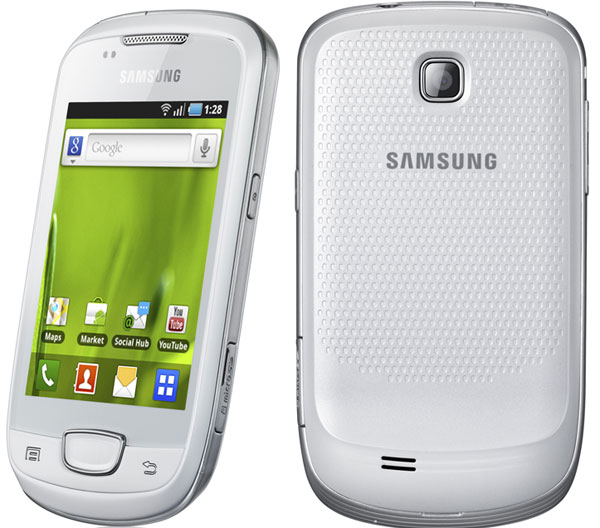
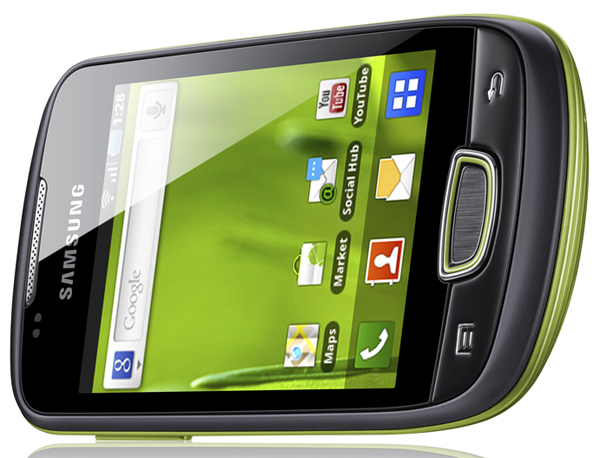
El Samsung Galaxy Mini es un teléfono móvil especialmente indicado para los más jóvenes. De hecho, en muchas ocasiones ya te hemos hablado de las ventajas del terminal con respecto al Samsung Galaxy S2, actual buque insignia de la compañía coreana. 
De esta manera, si eres de los que no quieren gastar todos sus ahorros en un teléfono móvil y quieres iniciarte en el mundo de la telefonía móvil inteligente, el Samsung Galaxy Mini podría ser tu dispositivo ideal. Para empezar, tenemos que decirte que el teléfono cuenta con una pantalla de 3,14 pulgadas y una resolución de 320 x 240 píxeles. Funciona a través del sistema operativo Android 2.2 Froyo de serie, pero puede actualizarse a las versiones superiores.

Verás que incorpora una cámara fotográfica con sensor de tres megapíxeles que nos servirá para tomar fotos en una calidad normal. Tiene una memoria de 160 MB que puede ampliarse con tarjetas de memoria microSD de hasta 32 GB, aunque en el paquete ya viene una tarjeta de 2 GB. No obstante, una de las funciones más interesantes tiene que ver con la función GPS con soporte A-GPS que viene integrada de serie y que puede conectarse al servicio Google Maps de forma completamente gratuita.
Pero, ¿cómo podemos convertir el Samsung Galaxy Mini en un auténtico navegador GPS? Pues bien, lo cierto es que las funciones de este teléfono son tan avanzadas que podrás sustituir tu navegador dedicado por el Samsung Galaxy Mini. En primer lugar te recomendamos que compres un soporte, si es que no lo tienes, para instalar debidamente el teléfono en el coche. Acto seguido, tendrás que activar las funciones GPS del terminal. Para empezar, accede al apartado de ‘Configuración’ > ‘Ubicación y Seguridad’. Desde allí podrás activar el satélite GPS para que el teléfono pueda ubicarse sobre el territorio. Activada esta función ya puedes pulsar sobre la aplicación Car Home, seguramente preinstalada en tu terminal. Si todavía no la tienes, accede al Android Market y descárgala de manera gratuita.
A partir de ahora ya podrás empezar a navegar a través de las calles de tu ciudad, recibiendo indicaciones visuales y de voz. Podrás decir tu destino en voz alta y seleccionar tu destino preferido. Verás que acto seguido se activa el servicio Google Maps y Google Maps Navigation, con la posibilidad de acceder a Latitude y a Places. Conforme avances, la voz del navegador te irá indicando y ya habrás empezado a utilizar tu Samsung Galaxy Mini como navegador GPS.

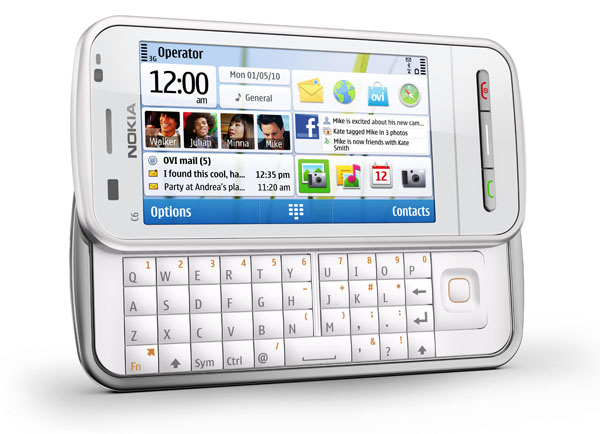
Convierte Gratis tu Nokia en un GPS

Convierte Gratis tu Nokia en un GPS.

El Nokia C6 forma parte de una nueva generación de terminales dentro del catálogo de la firma finlandesa Nokia. Incorpora una pantalla táctil de 3,2 pulgadas con una resolución de 640 x 360 píxeles y dispone de una buena cámara fotográfica equipada con un sensor de cinco megapíxeles

Lo mejor de todo es que lleva Flash LED integrado y funciona a través del sistema operativo Symbian, como la gran mayoría de dispositivos firmados por Nokia. Es perfectamente apto para la conectividad 3G y Wi-Fi, de manera que el teléfono parece especialmente indicado para aquellos que desean permanecer siempre conectados a Internet. El caso es que este dispositivo, que por cierto se encuentra disponible libre, pero también con Movistar o Vodafone.
Hoy queremos contarte una de las ventajas más interesantes de este Nokia C6. Como sabes, desde la Tienda Ovi tienes la opción de ampliar el abanico de posibilidades del terminal, de manera que puedas aprovechar todo su potencial. Está claro que una de las opciones más interesantes es la de descargar juegos o aplicaciones más funcionales. No obstante, también dispones de otros servicios que la firma finlandesa te ofrece de forma gratuita. Uno de los más importantes es Ovi Mapas.
Ovi Mapas
Cada vez que compras un teléfono móvil Nokia consigues acceso directo al servicio de Mapas. De esta manera, podrás acceder al callejero y a un servicio especialmente ideado para que encuentres cualquier sitio sobre el mapa. Además, cuentas con opiniones de Trip Advisor y Lonely Planet, ideales para orientarte en la elección de un restaurante o un hotel, por ejemplo. Por si esto fuera poco, además de recibir indicaciones de voz para tus rutas en coche también podrás utilizar el teléfono para tus paseos a pie. Para empezar a utilizar el servicio tendrás que tener instalado el programa Ovi Suite y conectar tu teléfono al ordenador. Acto seguido ya podrás acceder a la página de Ovi Mapas, lugar en el que podrás descargar los mapas que más te interesan, seleccionando paquetes específicos, incluso por países.
Navegación GPS gratis
Una vez tengas instalada la Ovi Suite y hayas conectado tu Nokia C6 al ordenador podrás empezar a descargar los paquetes de mapas que más te interesen. Recuerda que debes consultar la lista de países disponibles para que el servicio de GPS se adapte a tus necesidades. Acto seguido, verás que el servicio de Nokia te permite consultar desde tu Nokia C6: tu posición en el mapa, también a través de tu conexión Wi-Fi. Podrás buscar los lugares cercanos más importantes, compartir tus ubicaciones a través de redes sociales como Facebook o Twitter, guardar rutas favoritas y recibir instrucciones visuales y por voz a través de la pantalla. En total, podrás acceder a los mapas de más de 70 países, incluyendo España, por supuesto.
Y vamos a por el resto de funciones. El Nokia C6 también nos permite recibir instrucciones para nuestras rutas a pie, con la visualización de edificios en 3D. Podrás recibir información meteorológica, acceder a una guía de ocio global y hasta consultar la de Lonely Planet y Michelin. Cuando quieras recibir actualizaciones también podrás hacerlo sin la necesidad de conectar el teléfono al ordenador. Tendrás que conectar el teléfono a Internet y tendrás la opción de descargar mapas sobre la marcha, algo que nos vendrá fenomenal cuando estemos fuera de casa.

Puedes consultar todas estas opciones para tu Nokia C6 en la página oficial de Ovi Mapas, seleccionando el Nokia C6, que es tu terminal. Que disfrutes de las funciones GPS gratuitas.

Samsung Galaxy Z, analisis,opiniones y caracteristicas del Samsung Galaxy Z

Samsung Galaxy Z, analisis,opiniones y caracteristicas del Samsung Galaxy Z.

Mientras se rumorea la presencia de un nuevo Samsung Galaxy S II a partir de septiembre, con un procesador más potente y quizás alguna otra novedad, con vistas a plantarle cara al iPhone 5, nos ha sorprendido la presentación de un nuevo terminal para la familia Galaxy. Se ha dejado ver en la web sueca del operadora Three, y se llama Samsung Galaxy Z.

Echando un vistazo a sus prestaciones, da la impresión de que se trata de un Samsung Galaxy S II de características algo más livianas y ligeras, aunque con algunos interesantes retoques en la carcasa. Por el momento se desconoce cuándo aterrizaría esta edición en el resto de Europa, así como el precio que alcanzaría.

Diseño y pantalla

El Samsung Galaxy Z conserva el mismo aspecto que su predecesor, aunque con ligeras modificaciones. En lo tocante al formato, aunque repite en las formas, este Samsung Galaxy Z es un poco más grueso, aunque sigue siendo muy delgado (sólo nueve milímetros). No obstante, ahora incorpora una carcasa trasera acabada en aluminio, muy en la línea de los Samsung Wave. Quizás por eso sí que gana un poco más en peso, llegando hasta los 135 gramos.

En cuanto a su pantalla, repite con casi 4,2 pulgadas de panel capacitivo (multitáctil). No obstante, en este caso no se andan con dualidades e instalan una pantalla Super LCD, con lo que no tendrá los márgenes de luminosidad y calidad de color que sí que hace gala su hermano mayor con el panel Super AMOLED Plus.

Conectividad

Las conexiones del Samsung Galaxy Z se centran, en primer lugar, en la posibilidad de entrar en Internet desde el propio teléfono a través de 3G, así como desde redes Wi-Fi (incluyendo las normas 802.11 b/g/n). No le va a faltar tampoco el conector microUSB 2.0, así como el puerto inalámbrico Bluetooth 3.0, muy útil para vincular el Samsung Galaxy Z a otros dispositivos, como manos libres sin cables o auriculares Bluetooth.

Donde se ahorra otro extra este Samsung Galaxy Z es en el puerto MHL que sí que tiene el Samsung Galaxy S II. Se trata de esa conexión que, mediante un adaptador, consigue que lancemos la señal de alta definición desde el celular al televisor o monitor que disponga de entrada HDMI. No obstante, por desgracia, esta versión light del pata negra de Samsung se ha ahorrado esa característica.

GPS

Donde no ha recortado el Samsung Galaxy Z es en la conexión GPS, de modo que el chip de geolocalización está presente entre la circuitería del terminal. El celular ofrece también soporte A-GPS (localización asistida), que nos va a ir muy bien con todas las aplicaciones compatibles que tengamos instaladas en el Samsung Galaxy Z, pero especialmente con una: Google Maps. Y es que la suite de mapas de la firma responsable de la plataforma que lleva el Samsung Galaxy Z va a hacer que no echemos de menos un dispositivo GPS dedicado cuando planeemos nuestras rutas. Y además, de forma gratuita.

Multimedia

Donde no hay variaciones es en el potencial de reproducción multimedia de este Samsung Galaxy Z respecto a la gama alta de los Galaxy con Android. Prácticamente todos los formatos de audio y vídeo están presentes entre los tipos de archivos compatibles con este celular , incluyendo MP4, DivX, XviD, MKV, WMV, H.264, H.263, MP3, WAV, eAAC+, AC3 o FLAC, entre otros. Además, también ofrece un sintonizador de radio FM, aunque, como de costumbre, no funciona con auriculares Bluetooth (ya que los cascos con entrada de 3,5 milímetros hacen las veces de toma de antena).

La cámara sí que cambia, y este Samsung Galaxy Z pasa a tener un sensor de cinco megapíxeles con función de grabación de vídeo 720p como calidad máxima. Además, integra un flash LED para iluminar fotos, lo cual es una mejora significativa respecto a la generación anterior de los Galaxy S.

Sistema, potencia y memoria

El Samsung Galaxy Z apuesta por Android 2.3.3 Gingerbread, la versión más avanzada del sistema de Google. Con ello, no sólo se integra una plataforma muy potente y solvente, sino que además nos da la opción de instalar más de 300.000 aplicaciones desde su tienda online, la Android Market, que nos permitirá personalizar las características prácticas del celular con ese vasto catálogo de programas descargables.

En cuanto al rendimiento que asegura el Samsung Galaxy Z, sabemos que vendrá equipado con un chip de doble núcleo con una velocidad de un GHz de potencia, así como con una memoria de un GB de RAM, que en principio garantiza un funcionamiento muy fluido. Además, equipará una memoria de 16 ó 32 GB, en función de lo que elija el usuario, que también podrá ampliarla con hasta 32 GB adicionales instalándole una tarjeta microSD.

Autonomía

De ser cierta la información que aporta el fabricante, y a tenor de lo expuesto parece que así es, la duración en carga máxima del Samsung Galaxy Z promete ser uno de los fuertes más interesantes de este celular. Y es que a pesar de que se ha bajado el listón de características de este Samsung Galaxy Z respecto al Samsung Galaxy S II, la batería sigue siendo la misma: una unidad de iones de litio con una capacidad de 1.650 milamperios. Con esto, según datos de Samsung, el Samsung Galaxy Z podría aguantar, a plena carga, hasta nueve horas en uso y 620 horas en reposo.

Opiniones

La sorpresa que ha supuesto la irrupción de este Samsung Galaxy Z en el mercado de smartphones de gama alta queda mitigada cuando se entiende que el fabricante coreano buscar rellenar huecos de su extenso catálogo creando grandes terminales para todos los públicos. Y es que, a falta de conocerse el precio de este Samsung Galaxy Z, seguro que será más asequible que su referente, el Samsung Galaxy S II, y eso a pesar de integrar grandes características (especialmente, en lo tocante a la autonomía, la potencia y el diseño basado en aluminio).

Sigue siendo un celular delgado y muy manejable, aunque en el camino haya ganado algo de peso y haya perdido potencia en el apartado multimedia. Pero esto quedaría compensado con un precio un tanto más accesible. Quizás haya quien eche de menos la presencia de la pantalla Super AMOLED Plus del Samsung Galaxy S II, pero también hay que recordar que en algunas regiones este celular llega con el mismo panel Super LCD que lleva de serie este Samsung Galaxy Z.


Ficha técnica

Estándar GSM 850/900/1800/1900
HSPA+ 21 850/900/1900/2100
Peso y dimensiones 125 x 66 x 9 mm y 135 gramos
Memoria 16 ó 32 GB de memoria interna
Ampliables con hasta 32 GB con tarjetas microSD
Pantalla
Super LCD capacitiva
4,27 pulgadas (480×800 píxeles)
16 millones de colores
Cámara Sensor 5 megapíxeles
Grabación de vídeo HD (720p 30 fps)
Flash LED, geoetiquetado, autoenfoque, detector de rostros
Cámara secundaria frontal 2 megapíxeles
Multimedia Reproducción de música, vídeo y fotos
Formatos compatibles: MP4, DivX, XviD, MKV, WMV, H.264, H.263, MP3, WAV, eAAC+, AC3, FLAC.
Grabación de voz
Soporte JAVA
Soporte Adobe Flash Player 10.3
Controles y conexiones Sistema operativo Android 2.3 Gingerbread
Samsung TouchWiz
Procesador dual-core de 1GHz
GPS integrado con soporte A-GPS
Acelerómetro, sensor de rotación
Salida de 3,5 mm para auriculares
Ranura para tarjetas microSD
Visualizador de documentos
HSDPA 14,4 Mbps, HSUPA 5,76 Mbps
Wi-Fi 802.11 b/g/n
Bluetooth 3.0
Autonomía Batería 1.650 mAh / 9 horas en uso / 620 horas en reposo
+info Samsung

Related Posts Plugin for WordPress, Blogger...

Special Offer for Readers