Showing posts with label netbook. Show all posts

Shopping Guide: 10 key points when buying a laptop

Shopping Guide: 10 key points when buying a laptop

We want a laptop . Our computer has become old or just feel like we have a new computer for other needs. are many questions we ask at this point. Especially with regard to what our needs. There are many computers on the market with very different prices. In this little guide we review a few tips to keep us out by buying the stock.

1. Fulfilling your needs

In the market there are computers that cost a fortune. We believe that we should always buy the best since it will soon be outdated, but this is not exactly true. It is true that over time we will need a more powerful computer, but some things that pay very expensive may not make us never lack.

The clearest example is the graphics card. This element helps the functioning of the computer when we are using some graphics functions. They come in all types and prices, not everyone needs the best. If we are not interested in video games or graphics editing programs do not need a graphics card at all expensive.

2. A PC or a Mac?

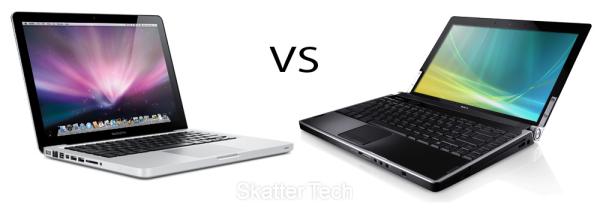
This question has many answers as users. Beyond the technical characteristics of a team, there are things that can not be measured as the degree of satisfaction in what they call "user experience". Many of the buyers of computers Apple say that they would never use a PC with Windows .

However, with the figures in hand, Windows PCs are much cheaper than the Mac. They are compatible with many more programs and what they're used to most users. If you have never used a computer in his life, probably more easily would drive a Mac, but if you bring with Windows life history change much.
portátiles

Try both operating systems before making a decision. The mac s are in, but if your budget is tight, it can hardly get one. The cheapest laptop brand of apple costs $1,500 and has 11 inch screen, rather small. For that price you can buy two laptops with Windows similar technical characteristics, but with a much poorer design course.

3. Do I need a laptop?

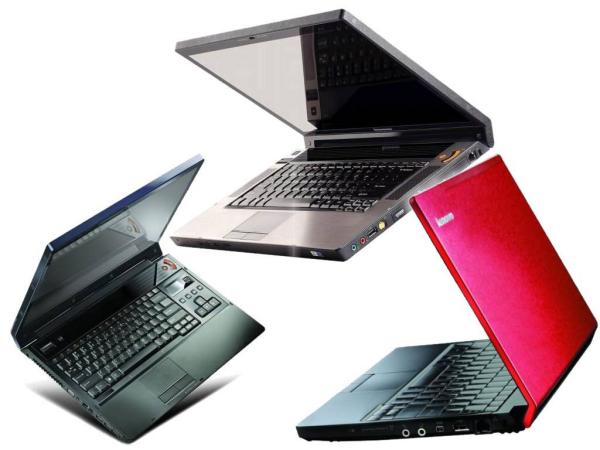
Laptop computers already outsell desktops. They are more comfortable to transport, and not have to be fixed in any part of the house and the price is much higher. It may seem that buying a laptop is the most logical choice, but may not be so in certain circumstances.

A laptop is practically impossible to extend. If you need more RAM or a hard drive more internal capacity will be very complicated and expensive that we can install it. Also, if we spent many hours on the computer ends up being more uncomfortable.
portátiles

Again, before approaching the store have to be clear about our needs. If we use computer to work for hours, cervical appreciate our convenient monitor to eye level, something impossible on a laptop.

4. The hard disk

One of the points that usually pay more attention, but again, the winning horse does not have to be the largest. Sometimes c Ontar with a hard drive on a laptop great price and raises the foam. We must bear in mind that we will give use.

The more files occupy on disk are the video and music. If we are to store lots of files of this type we may want to have a great record. If not, the investment may be useless. We must also bear in mind that there are external hard drives cheap, that can help us if we fill our the our team.
portátiles

Today, between computers are more advanced fashion drives SSD . These reports are not strictly a hard drive, but they do the same. The SSD or solid memories are based on the same technology as a pen drive. No moving parts, so they are much faster and reliable. But of course, has a disadvantage in offering (currently) much less capacity and are much more expensive.

A team with SSDs can be very interesting if we tend to use other storage systems in addition to the internal hard drive. For example, if we have an external drive that we use frequently or a storage system in the cloud.

5. Processor

It is the most important part of a computer. The real brains of the outfit. However, the importance of comparing processors in the purchase is rather low for most users. To put it simply, practically all there for sale are great and far exceed the requirements of the average user.
portátiles

You may want to sell us the most powerful processor in the market but, again, the most we do not need at all. Having the best processor is essential if we are going to ask our computer demanding tasks, but to surf the Internet or writing texts, we can make do with one more perfectly average.

6. The Weight

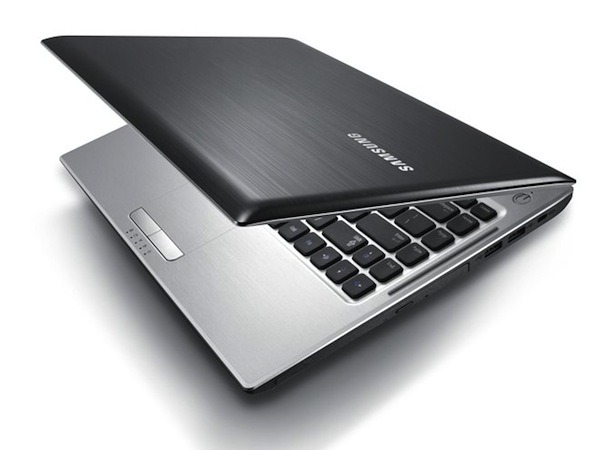
If we come to the conclusion that we need a laptop, there are still many options. A laptop is portable, but not all want to carry on their backs all day. Not the same take the computer room to room in a briefcase and put it across town. The weight and size matter much in this case, and there are different options.

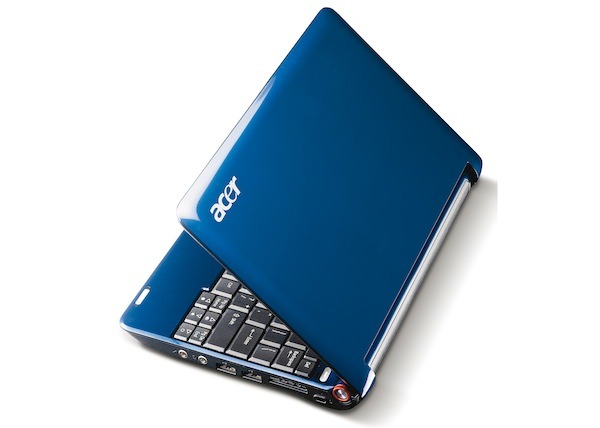
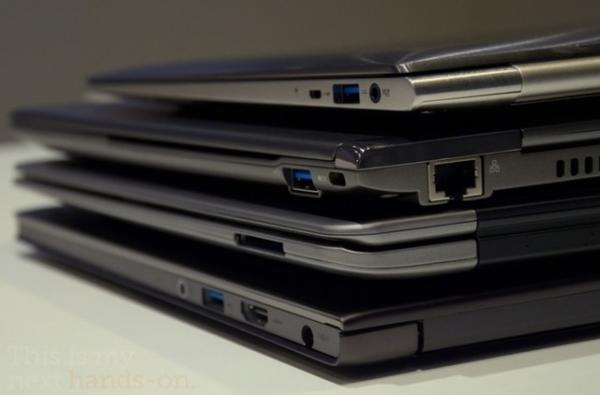
If we are to carry around your computer everywhere you can opt for two alternatives, depending on our needs. If the use will be very slight (see post, write a short text or surf the Internet a little) perhaps the best choice is a netbook . These computers have a screen rather small, somewhat limited capabilities and a very low price. They were very popular a couple of years, but the tablets have eaten much of the market. Yet still very useful if we are not convinced a tablet as a solution.
portátiles

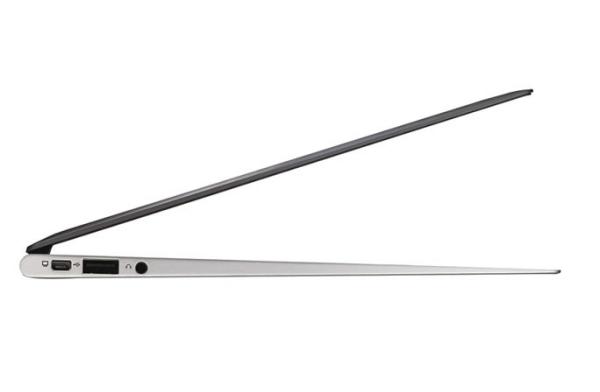
If in addition to carry everything we need to hang on enough power, the other alternative is a ultrabook . These teams are very popular these days, and most brands have presented their models. They are complete computers with good technical but very thin and light. Also the battery life is usually quite large. But have a great disadvantage compared to the netbook. They are much more expensive. They tend to be around 800 or 900 euros, compared to 200 or 300 that can cost a netbook.

7. Screen

The size or screen resolution are important points in a computer. A large screen is more comfortable to work or surf, and of course, much more suitable for watching videos. Also when viewing movies or series and to read, it is important to have a good screen resolution.

The resolution is nothing more than the number of pixels in the screen. When we talk about resolution Full HD refers (if we are trying to cheat) to a resolution of 1920 pixels wide by 1020 high. This is almost always best to be found in the market, ignoring the monstrous resolutions of some Apple displays.

As for size, more land means more volume and weight equipment. Once again, we will assess our needs in this field. As for the resolution there is no doubt: the more the better.

8. The price

In the end, almost everything is about the same, how much want to spend?. In the market we find laptops from $ 300 to several thousand. Is important to understand and respect as want to spend that budget.
portátiles

Vendors stores typically charge a commission on their sales. Despite the honesty that characterizes so many of them, their advice is not always the most appropriate. Review your needs and your pocket, and remember not to spend more than three years before it returns to the store to the other.

9. Ergonomics

Sometimes we let ourselves be conquered by good design and exceptional value, regardless of whether a computer is comfortable or not. We'll have to spend a lot of hours in front of him, the better a try.

The key points to consider are the keyboard, touchpad and ventilation. The keyboard is a very personal matter. You'll have to write it, and touch is very important. Try typing a few sentences before deciding. The touchpad is that little area for which glide your finger and move the cursor. Those who are too young or left to bring them around can be a nightmare with time.

As for ventilation, much depends on what position you use your laptop. A lot of people like to place it on your lap. In this case, make sure the vent is located on the side. If you are in the bottom the equipment is not properly refrigerated, and can get away with his pants on fire.
Ordenadores portátiles

10. Compare prices

There are hundreds of electronics stores, small retailers, supermarkets and many can be purchased online. The price differences between similar equipment are enormous if we stop to compare prices.

Before buying a laptop go to several stores, record prices and find other stores on the Internet. You can save money if you invest a little time in this process.

If you want to support our job please visit our links, we have a lot of offers for you, if not you can also visit our links

Remove test programs (and other junk) from New Laptops and PCs with SlimComputer

Remove test programs (and other junk) from New Laptops and PCs with SlimComputer.

You just bought a laptop or a PC ? Congratulations! However, one of the early headaches we find, after setting  at home, is the number of " programs garbage "that are installed.

From antivirus that lasts a week, trial versions of Office, a lot of applications that never will use, all you get these programs to us users, is to remove large percentage of computer performance that we should be providing.

This is because many of the manufacturers of laptops / PCs generate deals with software developers to include such programs (is a good hook for users to buy applications, after the trial period). The problem is that. probably will not use much of it. 

Screen Shot 2011 11 04 at 3 11 55 PM

Meet, then, SlimComputer, an application that takes care of cleaning all this trash with a few clicks. We have seen a similar application in the past ( PC Decrapifier ) per or SlimComputer offers a cleaner interface, regular updates, a community that is responsible for defining which programs should be marked as junk, and more.

Before deleting it all, we have the option to review the list of programs, toolbars and other applications to uninstall, if we want to leave some. Another important aspect is that each application has a rating given by the community to know how bad or good the program. For example, you probably will want to leave some brand-specific programs (in the photo, Sony Vaio software, for example), but for other things like trial versions of Norton or McAffee, the best we can do is remove .

And along with the elimination of these applications, we also have an optimizer, which is nothing more than a tool that takes care not to allow unnecessary programs from starting, which helps speed the loading time of Windows .

Definitely SlimComputer has become my new recommendation when you delete files from a laptop or new PC, it is a much more comprehensive than PC Decrapifier .
Screen Shot 2011 11 04 at 3 13 54 PM


SAMSUNG lanza una Netbook con energia solar, INCREIBLE!!

SAMSUNG lanza una Netbook con energia solar, INCREIBLE!!.

Hemos hablando en reiteradas ocasiones sobre la posible amistad entre los dispositivos móviles y la energía solar. Su propia naturaleza hace que estos dispositivos puedan estar más expuestos a la luz del sol, y aunque sabemos bien que el astro y la electrónica no se llevan del todo bien por varias razones, aprovechar su energía es algo técnicamente posible. La gente de Samsung ha decidido dar el siguiente paso, y dentro de unas horas se presentará en el mercado surcoreano el modelo NC 215, una netbook con un panel solar integrado.

http://www.neoteo.com/images/Cache/EC0Dx500y500.jpg

Con mi netbook puedo obtener en general unas cuatro horas de autonomía. Si hago una administración un poco paranoica del brillo de la pantalla resulta posible extender ese tiempo, y si por alguna razón desactivo el WiFi (confieso que no han sido muchas las ocasiones) el número crece todavía más. Pero no importa el tipo de dispositivo o la cantidad de celdas, la autonomía nunca parece ser suficiente. Aún con las impresionantes diez horas en el iPad 2, lo más probable es que en el futuro dicho valor deba ser expandido de alguna forma. Un atajo válido tanto para netbooks como para tablets sería instalar baterías más grandes y pesadas, pero la realidad indica que nadie quiere eso, sino todo lo contrario. Los dispositivos deben ser más livianos, más agradables a la vista, y funcionar por más tiempo.

¿Qué se puede hacer al respecto? Varias empresas ya han explorado la posibilidad de la energía solar como fuente alternativa para recargar baterías. Cualquier persona que se mantenga en constante movimiento o que deba visitar lugares en donde no haya un tomacorriente disponible podría verse beneficiada con la instalación de una celda solar en su portátil, y eso es exactamente lo que Samsung comenzará a ofrecer en Corea del Sur dentro de unas pocas horas. La Samsung Sense NC 215 cae de lleno en la categoría de netbook, pero el panel solar integrado a la cubierta la separa del resto. De acuerdo al fabricante, dos horas de exposición al sol (Samsung habla de unos 87,000 lux) equivalen a una hora de autonomía para una batería que, por defecto, entregará unas impresionantes catorce horas con mil ciclos de recarga.

http://www.neoteo.com/images/Cache/EC0Ex500y500.jpg

El resto de las especificaciones van casi de memoria: Procesador Atom N570 dual core a 1.67 Ghz, 1 GB de RAM DDR3 (esperábamos 2 GB), disco duro de 250 GB, y Windows 7 Starter como sistema operativo. Si bien Samsung podría haber optado por un disco de estado sólido para ofrecer mayor duración de la batería, esto también hubiera tenido un impacto en el costo final del ordenador, que de por sí es bastante alto en comparación con otras netbooks. El precio, según la publicación oficial en el portal surcoreano de Samsung es de 599 mil won, algo así como 385€. El tiempo dirá si la NC 215 tiene una buena recepción, pero al menos ya tienes algo que mirar si buscas un ordenador un poco más verde. Además, catorce horas de batería son una monstruosidad, aún para una netbook.

6 Consejos para comprarte una Laptop

Está claro que todos los portátiles o Laptops son diferentes. Aunque tengamos una lista de 50 equipos distintos, es muy probable que no haya dos iguales. Ya sea en el procesador, en la tarjeta gráfica, en el disco duro, la memoria o cualquier componente, siempre vamos a encontrar algo que podrá marcar la mínima diferencia. Con este objetivo introducimos ahora una serie de consejos para elegir el que mejor se adapte a nuestras necesidades.

Lo principal que tenemos que mirar es el uso que le vamos a dar. Los más generales son para poder utilizar en todas partes, para ver información en Internet como noticias o nuestros datos bancarios, o para correr videojuegos y ver películas. En cualquier caso, siempre habrá una máquina distinta pensada para cada uso. Así, tendremos que definir seis matices para llegar a nuestro ordenador ideal.

1) Tamaño y peso: si somos personas que viajamos mucho, lógicamente tendremos que mirar por el peso. Que va unido también al tamaño. Quien quiera el formato más fácil de llevar, para eso están los ordenadores netbook que se sitúan en una media de 10 pulgadas de pantalla y ofrecen un peso muy ligero. Eso sí, a cambio de prestaciones menos potentes. No están pensados para correr lo último en videojuegos, pero podrán ejecutar varias aplicaciones a la vez sin problema. Si por el contrario, lo vamos a utilizar en casa y no lo sacaremos demasiado, uno de 15 ó 17 pulgadas de diagonal sería lo mejor. Son más potentes y eso nos permite trabajar más rápido y tener más gráficos.

2) Procesador: hoy en día prácticamente todos los ordenadores portátiles vienen como mínimo con un procesador de doble núcleo. Es el cerebro de la máquina y determina la velocidad de trabajo. Además, influye más del 60% en la potencia gráfica. Así, si queremos editar video en alta definición (HD), o pegarle a los videojuegos de última generación, necesitaremos 4 núcleos como mínimo. Si por el contrario no somos de los más jugones, con un procesador que no sea tan potente tendremos de sobra para lo que queremos y nos ahorraremos bastante dinero.

3) Gráficos: como ya hemos dicho antes, es importante un buen procesador, pero por supuesto también lo es una buena tarjeta gráfica. Se complementa con la memoria RAM para dar la capacidad de vídeo que nos haga falta. Si necesitamos gráficos, lo mejor es que la memoria RAM llegue a 4 GB como mínimo con una tarjeta de 1 GB dedicado para arriba. Ya las hay de hasta 2 GB sin que se encarezca mucho. Si no lo necesitamos, lo que nos saldrá más asequible será una memoria compartida o una capacidad de 512 MB como máximo.

4) Sistema Operativo: este apartado influye mucho en el precio, ya que las licencias generalmente se pagan al comprar el equipo. Si no queremos que se encarezca mucho, hay algunas máquinas que vienen con una licencia de Linux gratuita. Los sistemas operativos más famosos son Windows y Mac OS X. Con cualquiera se puede hacer cualquier acción, aunque para Windows suele haber más aplicaciones y de uso más extendido. Y muchas de ellas, gratuitas. Aunque este apartado puede cambiar en los próximos meses con la llegada del nuevo sistema operativo de Google para ordenadores.

5) Precio: sin duda, es uno de los aspectos más importantes. En general, los más caros suelen ser los de 17 pulgadas y los que requieren más potencia. Si el uso que vamos a dar a nuestra máquina no requiere mucha, con menos de unos 500 euros deberíamos tener suficiente. Aunque si somos exigentes, los precios de algunos portátiles pueden llegar a cifras superiores a los 3.000 euros.

6) Diseño: es una cualidad que muchos valoran a la hora de mirar en un ordenador. Muchos de ellos entran por los ojos. También hay marcas especialistas en ofrecer modelos menos potentes, pero más caros simplemente por un diseño más elegante. Lo lógico es mirar primero la calidad y la potencia de los componentes, y por último el diseño. Aún así, no deja de ser un factor importante. Al fin y al cabo, es algo que veremos día a día durante bastante tiempo.

En grandes rasgos, éstas son las principales pautas a seguir para hacerse con un portátil que se adapte a las necesidades de cada uno. No es muy lógico hacerse con un ordenador que tenga mucha potencia si el uso que le vamos a dar no la necesita. Ya que, de esta forma, estaremos pagando más de lo necesario. Aún así, para gustos los colores, y si por el mismo precio encontramos otro equipo con más potencia, nunca sobrará.

Nueva ASUS Eee PC X101 con sistema operativo MEEGO

Nueva ASUS Eee PC X101 con sistema operativo MEEGO.

Tal y como mencionamos en el artículo sobre el chip Kal-El, la edición 2011 de Computex Taipei se encuentra a horas de ser inaugurada de forma oficial, pero eso no quiere decir que las empresas no hayan adelantado algunos detalles sobre sus próximos productos.

En esta ocasión se trata de Asus, con un repertorio de dispositivos muy interesante, pero con una nueva integrante de la familia Eee PC que además de ser muy liviana y atractiva en apariencia, ofrece la posibilidad de utilizar al sistema operativo MeeGo de forma única, o en conjunto con Windows 7 a través de un dual-boot.

Asus presenta su Eee PC X101 usando MeeGo - Asus Eee PC X101

Creo que podemos decir con seguridad que jamás olvidaremos a la familia Eee PC de ordenadores lanzada por Asus. La primera Eee PC se ha ganado un lugar en la historia por mérito propio: El modelo 701 no sólo abrió las puertas al concepto de netbooks, sino también a toda una nueva generación de portátiles de bajo costo. Desde entonces, Asus ha buscado sin descanso revalorizar a la Eee PC como marca, lanzando una enorme cantidad de sistemas en múltiples formatos. Hoy se insiste con la idea de que la tablet terminará por absorber el mercado de las netbooks, pero esto aún no ha ocurrido. A decir verdad, algunos fabricantes todavía tienen sus dudas sobre el mercado de las tablets, mientras que las netbooks continúan conservando cierta demanda, más allá de que ya no responden más a una necesidad de mercado como lo hacían hace tres años. Tengo una ASUS Eee PC DISNEY y es muy buena.

El "trackpad" es un poco más grande, sacrificando levemente el tamaño del teclado - Asus Eee PC X101
El "trackpad" es un poco más grande, sacrificando levemente el tamaño del teclado

Cada vez que puede, Asus enseña un nuevo puñado de dispositivos a ser lanzados, y Computex 2011 no es la excepción. El híbrido entre tablet y smartphone llamado convenientemente “Padfone” está causando mucho ruido en las últimas horas, pero las novedades del gigante taiwanés no se terminan allí. Una nueva netbook se une a la legión: La Eee PC X101. En primer lugar, Asus vuelve a desafiar los límites de peso y espesor en sus ordenadores, al alcanzar 17,6 milímetros en su parte más gruesa, y un total de 950 gramos. Las especificaciones tienen algunos puntos oscuros aún. El más llamativo es el Intel Atom N435, un nuevo procesador con un núcleo y una velocidad de reloj de 1.33 Ghz, aunque varios sitios por alguna razón han reportado 1.5 Ghz de velocidad. Su pantalla es de 10.1 pulgadas con una resolución de 1024 por 600 píxeles, posee dos puertos USB, ranura microSD, webcam integrada y batería de seis celdas.

El Intel Atom N435 hace acto de presencia en esta netbook - Asus Eee PC X101
El Intel Atom N435 hace acto de presencia en esta netbook

Sin embargo, lo que destaca a la Eee PC X101 del resto de la manada es que utilizará a MeeGo como sistema operativo. MeeGo es una distro Linux orientada a dispositivos móviles que cuenta con el apoyo de Intel, AMD, Novell y la Linux Foundation. Originalmente Nokia llevó adelante el proyecto junto con Intel, pero su reciente acuerdo con Microsoft arroja dudas sobre su continuidad. Se han confirmado tres colores hasta aquí (rojo, blanco y dorado), y el precio para la versión con MeeGo estaría en los 199 dólares. La versión con dual-boot entre MeeGo y Windows 7 estaría costando más, estimamos que por cuestiones de licencia, pero al tratarse de una plataforma x86, el usuario tendría libertad de recurrir al sistema operativo que desee. Aún no se confirmó una fecha de lanzamiento, pero con ese precio, resultará atractiva para más de un usuario.

Related Posts Plugin for WordPress, Blogger...

Special Offer for Readers