Showing posts with label advice. Show all posts

Tip: How to block a web page without using a program

 Tip: How to block a web page without using a program

We have often written on the blog on how to bypass a blocked page, but rarely on how to block a page.

In this case, I wanted to show a simple way and without having to download any program, you just need to edit a file. The trick is known by many and it is difficult to bend, but maybe if you have small children or people who know little about technology (and not visit this blog) can use this system.

What you need to do is find a specific file on your computer, Windows is the Hosts found in Windows \ system32 \ drivers \ etc
If you do not find the path, you can use the Windows search. So get to a file called hosts which do not have any extension but you can edit using Notepad.

Eye to edit the file you will need administrator privileges in any case we can copy the Hosts file to the desktop for example and then edit it, then chancamos the original.

To block a specific website we should add the URL you want to block without touching anything else in the file (if you touch something could move settings on your computer) before that you must add the IP associated with the localhost (usually 127.0.0.1)

For example if we want to block Facebook, Twitter and YouTube will:

127.0.0.1 www.facebook.com

127.0.0.1 www.twitter.com

127.0.0.1 www.youtube.com
It is recommended before making changes to the hosts file, make a backup in case something goes wrong, they released only chancan and everything will be normal. The trick also works on Mac, just need to find the hosts file in / private / etc

This is how they will be able to block pages easily and without using additional software.


If you want to support our job please visit our links, we have a lot of offers for you, if not you can also visit our top 10

6 Secrets to buying the perfect jean

Secrets to buying the perfect jean

For almost all women can be a nightmare when choosing the right garment.
Image

And it is not something that can be solved in half an hour, unless you are going to replace one that you know is you painted.

But even so, because you still need to be removed doubts about possible defects in the cut and the fit.

Not to mention if we consider the price of denim pants that far from being for workers and in the beginning, now seem to be made ​​for millionaires.

Hence, then, that the investment in a jean (not just need one, but several) involves a process of analysis and evaluation.
Here are some key secrets that we need to know not to suffer in the fitting and make shopping a pleasure.

They are:

1-If you have a flat tail, straight and your jeans pocket.

Usually, these figures tend to have thin legs, they can choose the model type "cigarette". What not to watch: cuts too loose.

2-If you have lots of curves, rather classic straight cut is your best option because it softens and, in turn, suggests the ways.

3-If you're petite, decant your choice for a pair of medium and long shot.
jeans photo
Say "no" to the shorts. Ideally, being straight. Pay special attention to avoid models with wide legs will produce an optical illusion because you will see even lower.

4-If you have belly, lean of a cut that comes just below the waist to cover and does not make rolls.

We recommend buying one size down for tighter more comfortable and do not tighten others.

5 - If you have wide hips, the model is going to come with a shot slightly lower.

Attention to the faded, those of prominent hips and tail will be nothing favored with the light tones and nuanced, better to choose dark colors they know full disguise the volume. Nothing too tight leg will more evident because your hips. Also, do not forget, prohibited from reaching the ankle pants!
6-As for washing, what you have to know is that light shades on the hip, tail and thighs will make you look wider than you are.

The ideal is dark and smooth. To maintain its color, wash your jeans inside out and cold water.

If you want to support our job please visit our links, we have a lot of offers for you, if not you can also visit our top 10

Shopping Guide: 10 key points to buy a tablet

Shopping Guide: 10 key points to buy a tablet

The growing market for tablets has raised more than one user if, when renewing your laptop, maybe I should not think the ability to jump to the attractive personal display technology. No wonder: the tablets offer a level of portability, ease of use and in many cases, autonomy sometimes are unbeatable for a laptop or netbook. However, it is sometimes difficult to consider what device to choose between the forest of options that are in the market. Let's see what criteria should you follow to select the tablet q ue best suits our needs.

Screen Size
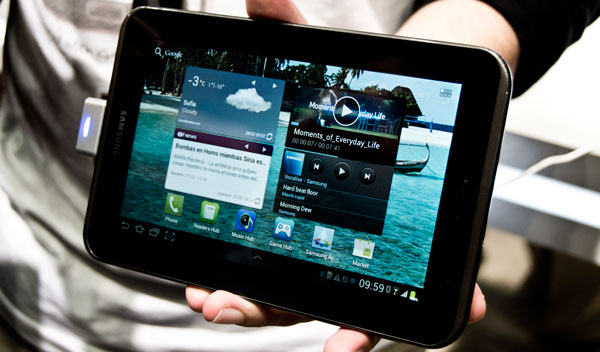
Samsung Galaxy Tab 2
So. That size matters. It's not the same drive a seven-inch panel to another it is significantly above the ten-inch, nor inquire contained in a horizontal format to do so in a more aimed at the classic 4:3. Given this, what kind of screen is better? It is difficult to pin down. In fact, impossible.

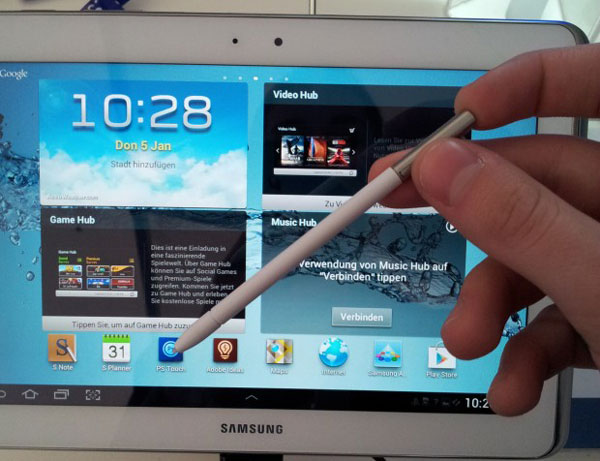
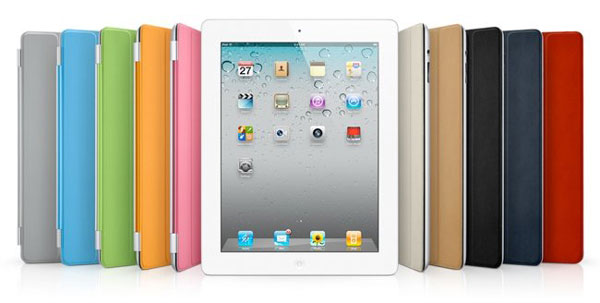
Each user will feel more comfortable with a choice. If we want to enjoy an unprecedented resolution, we can choose the new iPad, which at 9.7 inches distributes a total of 2,048 x 1,536 pixels-the most powerful of the market definition. If, however, we prefer a large area, the 10.1-inch models from Samsung, as the Galaxy or Galaxy Tab 10.1 10.1 Note - be our best option. There are other possibilities in this format, betting on widescreen formats, such as Packard Bell Liberty Tab.

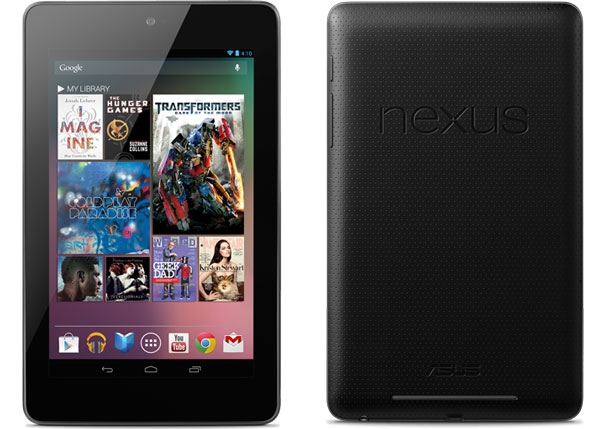
Another possibility is to go for smaller formats. The seven inches is the star in that direction. It is a size that was opened by Samsung with its first Galaxy Tab, and today is available in models like the Samsung Galaxy Tab 2. In fact, the South Korean firm is one that has a fork full of proposals in this regard, since it also has in its catalog a model with panel of 7.7 inch and 8.9 inch. Nevertheless, continuing with the proposals in seven inch is coming soon in our country a device manufactured by Taiwan's Asus to Google, the Nexus 7, a terminal, as shown below, presents other arguments that make it very attractive -as the price and the operating system.

Operating System
Samsung Galaxy Tab
Fundamental. It is not the same as having a terminal IOS-based Apple platform - Android-foil Google - or Windows-on future versions that Microsoft will showcase commercially from Autumn. Again, it is risky to make judgments about value. What we can do is put data on the table. IOS 5.1-after the summer will iOS 6 - is the system more dedicated applications for the Apple tablet: more than 250,000 programs and games, and more than 650,000 apps in total , contanto with iPhone and iPod Touch, which are interpolated to full screen display.

In the case of Android's decision will not only jump on the bandwagon of the green robot. Also, examine the full range touch tablets available-from the most economical, with prices around 100 euros, to the most advanced in excess of 500 euros - which will have different versions of the platform. The outdated versions will have more affordable - Android 2.2 FroYo - while the more advanced editions dedicated to bet for tablets.

In this sense, we'll meet again, with the choice between Android 3.0 Honeycomb, Ice Cream Sandwich Android 4.0 and Android 4.1 Jelly Bean. For now, this last option only found in the Nexus 7-and the Motorola Xoom, by upgrading. It is best done with a device with Ice Cream Sandwich: thus we ensure a greater margin of support in the applications that you download and have the option to upgrade to versions that we can come.

Design
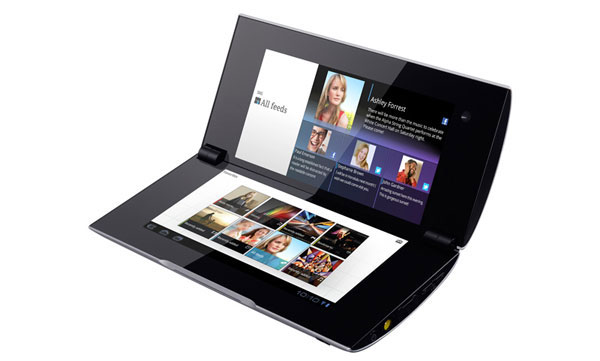
Sony Tablet P
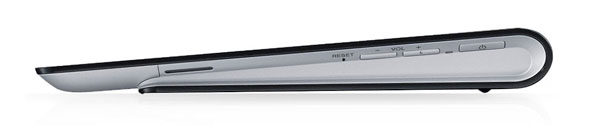
For many, the design of the tablet will not be a determining factor when deciding on either team. But this is a very interesting section view of the proposals that populate the market. The vast majority of available terminals are practically identical in this sense, beyond the dimensions and proportions in its construction, although some stand devices argue precisely in terms of appearance. There are three terminals in this line, we could bring up. On the one hand, Sony and Sony Tablet Tablet S P.

The first part of a price of 400 euros, and has a back that describes a small wedge that is useful to write about when they lodge in touch screen on a horizontal surface. The second, which is available from 500 euros, is more original. It is a tablet with two parallel screens, the Nintendo DS style, and a clamshell design, so that when closed compact dimensions resembling a small case.

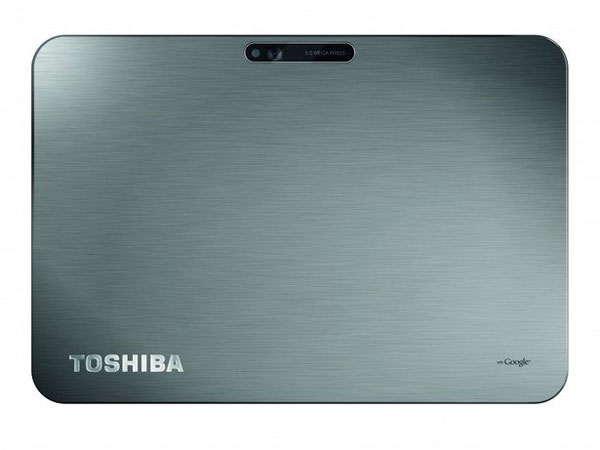
On the other hand, it is interesting to consider the purchase of Toshiba AT200, which advocates a surprising thickness of only 7.7 millimeters, as the main defining value. It also has some interesting features, capable of competing with other Android devices and a very reasonable price of 500 euros.


¿Wi-Fi or 3G?
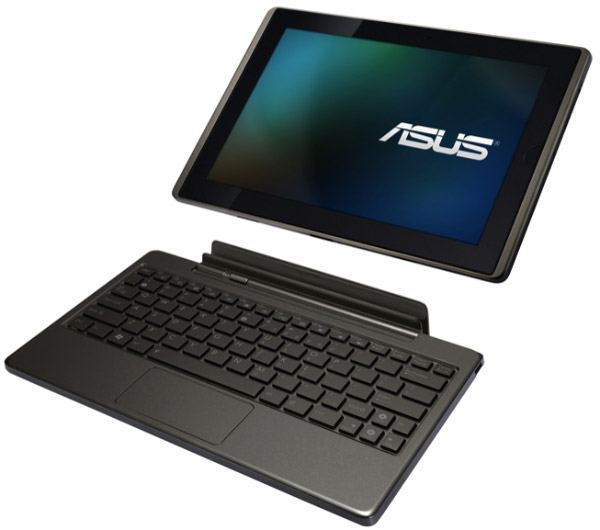
ASUS Eee Pad Transformer
Here the plot thickens. The rule is clear in all makes and models: issues with 3G connectivity, that is, to access high speed mobile data, will require additional expenditure to which only have access to the Internet via Wi-Fi. So you have to consider whether you really worth paying a few hundred dollars more, this is usually the difference between models with and without 3G - in addition to committing to a subscription of data with the carrier of your choice.

In this sense, think about where you will use the tablet mostly. If you have most of the time at home or office, is more than possible that the Wi-Fi model of your favorite tablet is more than enough. Remember that many of the smartphones that populate the market Hotspot options available, so you could share the mobile connection in the street to connect via Wi-Fi sensor of the tablet. Otherwise, if you give intensive outside the influence of wireless home networks or professional, would you consider investing more in the 3G version of the terminal of your choice.


Local Connections
Nexus 7
The debate marked the USB tablet market since its inception. When first introduced the iPhone, back in 2010, critics were primed with the device lacking the standard connector that delights users' computers and laptops. However, is it so important the presence of USB or microUSB jacks?

There are terminals, such as models of Samsung, who have also opted for proprietary connections that unless we use adapters, can not be linked with other devices via USB. Since the tablets are designed to find information online, rather than to insert or remove, it makes little sense as a primary value the presence of USB or microUSB. However, it does have its importance.

For starters, the USB is, as we say, a standard in many cases provide functions for data traffic, you can synchronize information with a computer, play content from an external computer or a portable modem prick - and recharge your battery. And given his status as standard, we use the same cables with other devices would be worth us to the tablet. Otherwise, it is essential to be done with cables or adapters owners who sell us the manufacturers of tablet.

Another issue is the palette that offers more connections than USB and the dock owner. Remember that if you use the tablet as a multimedia platform, connecting to the TV in the living room, for example, to play movies or videos hosted on the Internet - you interested in testing the device has physical options for high-definition output through HDMI or MHL -, or wireless-DLNA, in the case of Android, or Airplay for iPad -. The presence of GPS and Bluetooth will also enrich the experience of using the device.


Multimedia
Toshiba at200
There are two fundamental points when assessing a tablet in media playback criteria: the supported formats and storage media. Regarding the former, Android handsets are richer and complete. The vast majority of market terminals play almost anything you want: from the usual MP4 or WMV to advanced DivX and MKV HD. We talk about video, clear audio issues because we should not worry about anything: we will find virtually no trouble hearing any sound file. Similarly, in the case of Android tablets, many facilities will have to enter in the memory of the device. Attendees may use applications, such as Samsung Kies, if the terminals of the Korean company - or make the computer detect the computer as an external storage unit.

There are, however, facilities that we have in IOS. Unless you resort to tricks or breakouts-by Jailbreak - everything we put in the iPad will happen, necessarily, for iTunes. This not only conditions us when to choose and order freely to channel content. In addition, we will determine the supported files. By converters and third party applications not covered could transform files among formats supported in permissible content, which, seen thus, can become a nuisance.


Cameras
Samsung Galaxy Note 10,1
Some believe that it makes little sense to put cameras on a tablet. Due to its characteristics, can be quite ridiculous to these devices to take pictures. At least with the main camera. However, positions to concentrate on the computer functions, you better be extra to be missing. Most terminals in category Android bet by a combo dual cameras, where the main sensor would have three to five megapixels, while the secondary unit, located on the front of the tablet-would shift between VGA resolution and quality two-megapixel camera. The iPad, in this sense, has a combination of five-megapixel sensor in the main and secondary VGA. However, we could also find devices which dispense with one of the two units, the back, especially. Such is the case, for example, the Nexus 7 from Asus and Google.


Memory
Sony Tablet S
Is it important to justify the choice of a model that integrates memory? Sometimes yes. However, what can condition the purchase of one or other device sometimes not so much memory to load standard as the possibility of expanding the internal capacity with external drives. The iPhone, for example, will not give us this option. We'll have to settle for options 16, 32 or 64 GB without any choice of having more capacity-beyond the solutions in the cloud, which is available to any other terminal. In the case of few non-Android models this possibility is available to several models. The Acer Iconia, for example, allow us to install microSD cards up to 32 GB extra, the Sony Tablet S also supports memory expansion-indeed, in this case, memory is contingent on the card that you say.


Processor
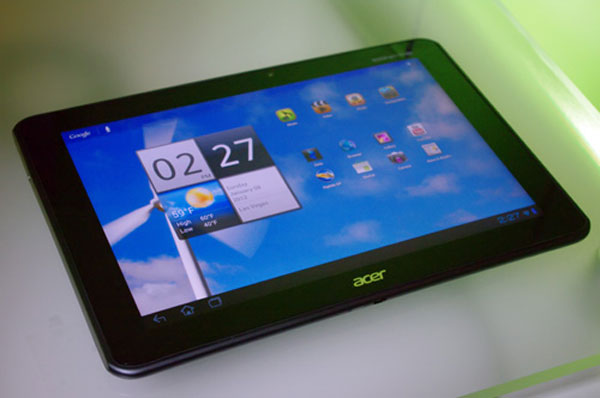
Acer Iconia Tab A700
Again, the hairpin is opened possibilities. It is likely that most users do not pay attention to this section, although the choice of either model for its price is strongly influenced by the power that develops on account of your processor. In this regard, in the vast majority of cases we will find units of one or two cores, and at least four cores. To sample the new iPhone, introduced in 2012, carries a dual-core unit, significantly faster than the iPad 2. But there are many models of Android group that have been decided by the four cores. In short, we will see in stores 10.1 Note the Galaxy, one of the banners of the Korean company in this group. China's Huawei will also climb on the bandwagon of quad-core, and even Asus has in mind a model of your Transformer of this family.


Autonomy
iPad
The netbook is afraid of the tablet. Even some laptops are thrown to tremble at the personal screens. It is not by power but by autonomy. If we think of the tablets as digital entertainment platforms and windows to query data on the network, which provides the versatility of these terminals blush comes to laptops. And of course, autonomy does not help them raise their heads on the tablets. In some cases, and measuring very specific conditions of use and use-only web browsing over Wi-Fi - could withstand a constant duration of up to ten hours as official rates. Such is the case of IPAD.

The Galaxy Tab 10.1 claims to support nine to 72 hours, depending on if we play the music or video continuously, respectively. The powerful Asus Eee Pad Transformer, meanwhile, we can hold between 9.5 and fourteen hours, depending on its use or not to dock ANADER a physical keyboard at all. So, how much notice is capable of supporting the autonomy of the devices you have in mind among the possible choices to make with a tablet, and that ultimately can make a big difference depending on the model you finally select.

If you want to support our job please visit our links, we have a lot of offers for you, if not you can also visit our top 10

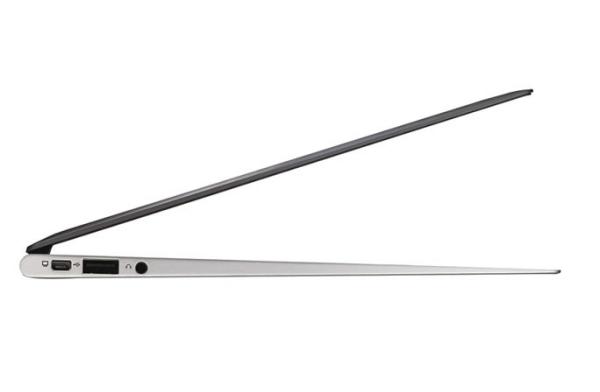
Shopping Guide: 10 key points when buying a laptop

Shopping Guide: 10 key points when buying a laptop

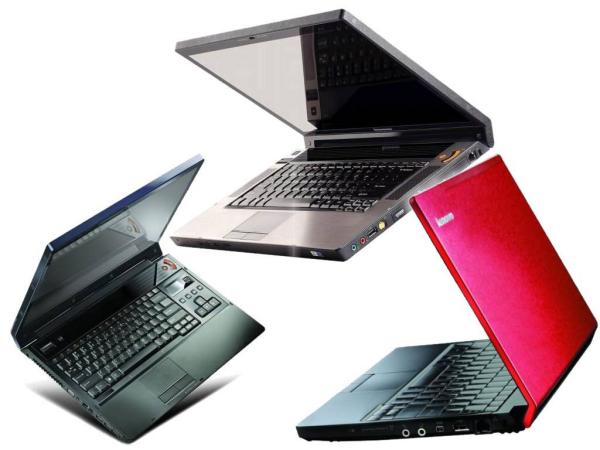
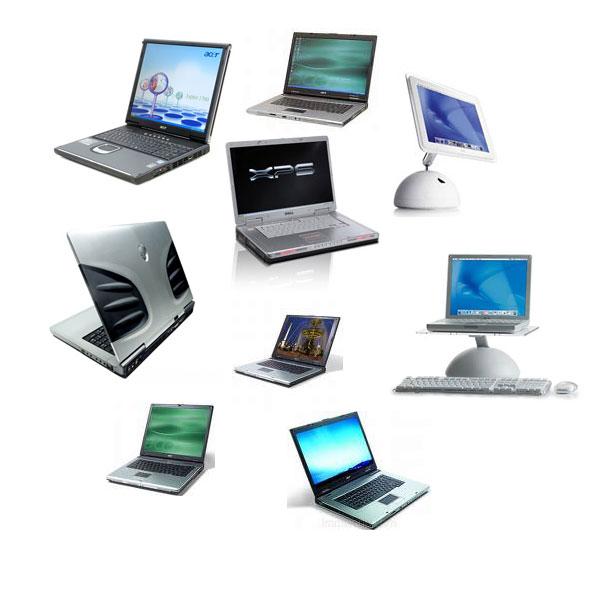
We want a laptop . Our computer has become old or just feel like we have a new computer for other needs. are many questions we ask at this point. Especially with regard to what our needs. There are many computers on the market with very different prices. In this little guide we review a few tips to keep us out by buying the stock.

1. Fulfilling your needs

In the market there are computers that cost a fortune. We believe that we should always buy the best since it will soon be outdated, but this is not exactly true. It is true that over time we will need a more powerful computer, but some things that pay very expensive may not make us never lack.

The clearest example is the graphics card. This element helps the functioning of the computer when we are using some graphics functions. They come in all types and prices, not everyone needs the best. If we are not interested in video games or graphics editing programs do not need a graphics card at all expensive.

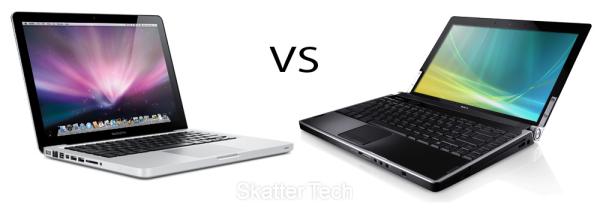
2. A PC or a Mac?

This question has many answers as users. Beyond the technical characteristics of a team, there are things that can not be measured as the degree of satisfaction in what they call "user experience". Many of the buyers of computers Apple say that they would never use a PC with Windows .

However, with the figures in hand, Windows PCs are much cheaper than the Mac. They are compatible with many more programs and what they're used to most users. If you have never used a computer in his life, probably more easily would drive a Mac, but if you bring with Windows life history change much.
portátiles

Try both operating systems before making a decision. The mac s are in, but if your budget is tight, it can hardly get one. The cheapest laptop brand of apple costs $1,500 and has 11 inch screen, rather small. For that price you can buy two laptops with Windows similar technical characteristics, but with a much poorer design course.

3. Do I need a laptop?

Laptop computers already outsell desktops. They are more comfortable to transport, and not have to be fixed in any part of the house and the price is much higher. It may seem that buying a laptop is the most logical choice, but may not be so in certain circumstances.

A laptop is practically impossible to extend. If you need more RAM or a hard drive more internal capacity will be very complicated and expensive that we can install it. Also, if we spent many hours on the computer ends up being more uncomfortable.

portátiles

Again, before approaching the store have to be clear about our needs. If we use computer to work for hours, cervical appreciate our convenient monitor to eye level, something impossible on a laptop.

4. The hard disk

One of the points that usually pay more attention, but again, the winning horse does not have to be the largest. Sometimes c Ontar with a hard drive on a laptop great price and raises the foam. We must bear in mind that we will give use.

The more files occupy on disk are the video and music. If we are to store lots of files of this type we may want to have a great record. If not, the investment may be useless. We must also bear in mind that there are external hard drives cheap, that can help us if we fill our the our team.

portátiles

Today, between computers are more advanced fashion drives SSD . These reports are not strictly a hard drive, but they do the same. The SSD or solid memories are based on the same technology as a pen drive. No moving parts, so they are much faster and reliable. But of course, has a disadvantage in offering (currently) much less capacity and are much more expensive.

A team with SSDs can be very interesting if we tend to use other storage systems in addition to the internal hard drive. For example, if we have an external drive that we use frequently or a storage system in the cloud.

5. Processor

It is the most important part of a computer. The real brains of the outfit. However, the importance of comparing processors in the purchase is rather low for most users. To put it simply, practically all there for sale are great and far exceed the requirements of the average user.

portátiles

You may want to sell us the most powerful processor in the market but, again, the most we do not need at all. Having the best processor is essential if we are going to ask our computer demanding tasks, but to surf the Internet or writing texts, we can make do with one more perfectly average.

6. The Weight

If we come to the conclusion that we need a laptop, there are still many options. A laptop is portable, but not all want to carry on their backs all day. Not the same take the computer room to room in a briefcase and put it across town. The weight and size matter much in this case, and there are different options.

If we are to carry around your computer everywhere you can opt for two alternatives, depending on our needs. If the use will be very slight (see post, write a short text or surf the Internet a little) perhaps the best choice is a netbook . These computers have a screen rather small, somewhat limited capabilities and a very low price. They were very popular a couple of years, but the tablets have eaten much of the market. Yet still very useful if we are not convinced a tablet as a solution.

portátiles

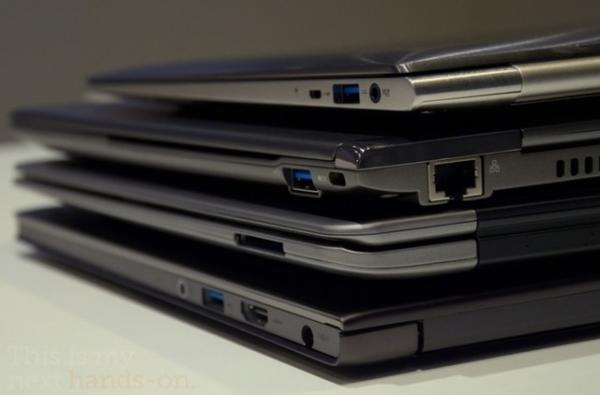
If in addition to carry everything we need to hang on enough power, the other alternative is a ultrabook . These teams are very popular these days, and most brands have presented their models. They are complete computers with good technical but very thin and light. Also the battery life is usually quite large. But have a great disadvantage compared to the netbook. They are much more expensive. They tend to be around 800 or 900 euros, compared to 200 or 300 that can cost a netbook.

7. Screen

The size or screen resolution are important points in a computer. A large screen is more comfortable to work or surf, and of course, much more suitable for watching videos. Also when viewing movies or series and to read, it is important to have a good screen resolution.

The resolution is nothing more than the number of pixels in the screen. When we talk about resolution Full HD refers (if we are trying to cheat) to a resolution of 1920 pixels wide by 1020 high. This is almost always best to be found in the market, ignoring the monstrous resolutions of some Apple displays.

As for size, more land means more volume and weight equipment. Once again, we will assess our needs in this field. As for the resolution there is no doubt: the more the better.

8. The price

In the end, almost everything is about the same, how much want to spend?. In the market we find laptops from $ 300 to several thousand. Is important to understand and respect as want to spend that budget.

portátiles

Vendors stores typically charge a commission on their sales. Despite the honesty that characterizes so many of them, their advice is not always the most appropriate. Review your needs and your pocket, and remember not to spend more than three years before it returns to the store to the other.

9. Ergonomics

Sometimes we let ourselves be conquered by good design and exceptional value, regardless of whether a computer is comfortable or not. We'll have to spend a lot of hours in front of him, the better a try.

The key points to consider are the keyboard, touchpad and ventilation. The keyboard is a very personal matter. You'll have to write it, and touch is very important. Try typing a few sentences before deciding. The touchpad is that little area for which glide your finger and move the cursor. Those who are too young or left to bring them around can be a nightmare with time.

As for ventilation, much depends on what position you use your laptop. A lot of people like to place it on your lap. In this case, make sure the vent is located on the side. If you are in the bottom the equipment is not properly refrigerated, and can get away with his pants on fire.

Ordenadores portátiles

10. Compare prices

There are hundreds of electronics stores, small retailers, supermarkets and many can be purchased online. The price differences between similar equipment are enormous if we stop to compare prices.

Before buying a laptop go to several stores, record prices and find other stores on the Internet. You can save money if you invest a little time in this process.

If you want to support our job please visit our links, we have a lot of offers for you, if not you can also visit our links

How to save battery on your samsung Galaxy S3

How to save battery on your samsung Galaxy S3

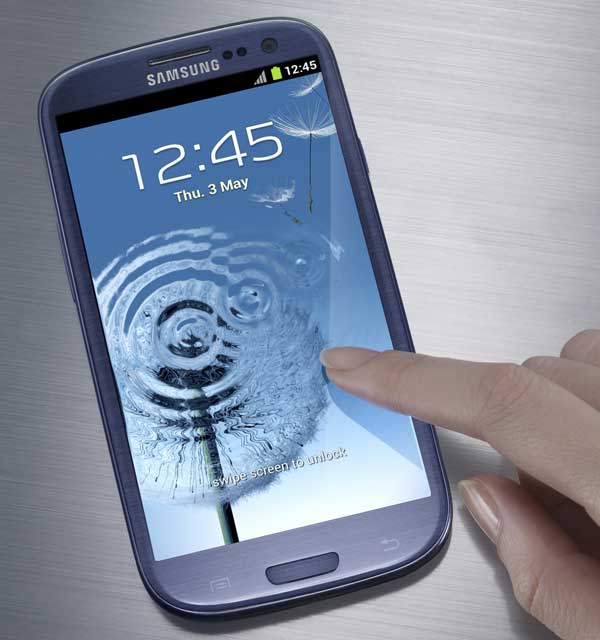
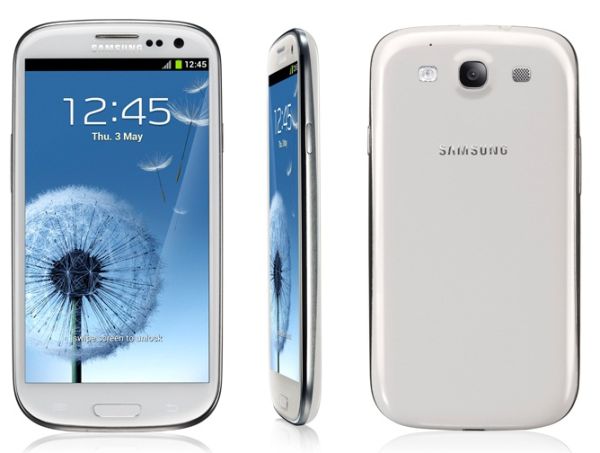
One major drawback of all current smartphones is the battery life. And in this sense, the Samsung S3 Galaxy would not be so. The new flagship of the Korean comes equipped with a lithium ion battery of 2,100 milliamps, an amount large enough to give this device a range more or less affordable. Keep in mind also that according to Samsung Exynos 4 Quad processor quad core is more powerful than those presented above, but consumes 20% less energy. However, the durability of the battery can play us a trick. Do not forget, in this case, some functions can consume - more than others - the power of the instrument or cause it to run out of work, just when we need it. There are some tricks that allow us to save significant battery blocks, even reducing or turning off some features that we do not prove eminently necessary.
samsung galaxy s3 01
1) Disable wireless connections. If you know you're not going to have to use your phone connectivity, a good option to save battery power will turn off wireless connections, major energy consuming equipment. To do this you must go to the Settings section, where you have the option to choose if you want enabled 3G connection, for example, to connect to GPRS and surf more slowly, if you have no hurry. Thus, you can connect to your favorite social networks, download email or browse between pages in a fairly quick, short of the speed you can get to offer the 3G . The same applies to the connection wireless . If the device is continuously looking for available wireless networks, energy consumption is very high. Within the wireless settings, you will find an option that allows you to dispense with this service in order to activate only when you need it.

2) Turn off Bluetooth and GPS. This is a solution for times of emergency, taking into account the use made ​​by the user of each of the functions of Galaxy S3. Bluetooth also uses a lot of energy and GPS, various other quite relevant. If you do not need, you can dispense with these tools shaping deactivation through the same section of Settings.
Samsung Galaxy S3 031
3) Reduce the brightness of the screen. Is another function that consumes more energy, so if you do not mind to hold your Super AMOLED screen as possible, have the option to reduce and customize this tool to take a while longer runtime. In fact, just a couple of days, I talked about a simple upgrade that installs the brightness control on the notification bar of the device. This is a useful tool for those who want to significantly reduce energy consumption of its Samsung Galaxy S3.

Any change or reduction of the functions of the Samsung Galaxy S3 will save (or minimal) of energy in our device. In this way, you can make that call last minute or enjoy your phone on the bus, just before reaching home. If you will not use the connections, you can also put the phone in airplane mode or even turn off unnecessary sounds.

If you want to support our job please visit our links, we have a lot of offers for you, if not you can also visit our links

Working from home ... The great challenge! 11 Tips to succed

Working from home ... The great challenge! 11 Tips to succed


At one time say that you worked from home was almost a shame. Represented not have money to set up an office and questioned the business professional. Not anymore. That vision has changed concepts practical, functional, with tax advantages, and the objective of investing in services and / or products the business offers, rather than spend on rent and other high maintenance costs before producing the money. Customers now are more interested in price and quality of services in an office visit. With technological changes such as the Internet-and-letters are not everything has been simplified and accelerated.

The latest survey of Business Owners Census (Survey of Business Owners) shows that 51.6% of businesses are operated from the homes and 58.2% of women-run businesses are based in the home. The average initial investment is $ 5,000 or less, which is not bad for an average annual income between $ 60,000 and $ 250,000. In addition, private firms and government spaces are "virtual", so that the employee works from home, saving office space and other resources.

http://www.blogcdn.com/www.tuvozentuvida.com/media/2012/04/trabajo-casa-corbis599-1334679408.jpg
The question is do you think will be so easy to work from home? No. Many think it is and ultimately true.  But requires discipline and discipline yourself. Why? Because as soon as you say you work from home, the first thing that tells you your friend, your cousin, your sister or your mom, is: "Ah, now you make your own schedule and have time for many things." They begin to ask favors of care, shops, supermarkets, visits, calls, etc..They swear that you have time for all. In the minimum case, maybe your husband thinks you now have more time to clean, you can stay with the kids instead of taking them to the care, you can cook lunch and do all the household errands during working hours. Sometimes you believe it to yourself. No, does not work.

http://www.gp2b.com/wp-content/uploads/2012/02/work-at-home.jpg
 
All it means working from home is that this is your place of work. The advantages?  Save gas and lunch expenses, excessive traffic, maybe clothes, depending on the type of business you have or work you do, you're more comfortable and you can make tax deductions. Other than that you have a job, whether your business or you work for another. It is so serious as to an office If you went and you have to organize as it were, and even more. In your work schedule does not have time to do what you could not do if you went to an office every day. We enumerate a very useful system, tested by myself and others to learn to work from home with discipline and effectiveness:

1. Choose a room in your house, preferably with a door that can close. Equip with desk, chair, telephone with voice mail with message recorder (or cellular), computer, printer, copier and fax machine, printer or computer to do the four functions (including scanner), which are very reasonably priced . Buy office supplies you need.

2. Talk to your family and friends and set the rules. Tell them you do not call during business hours unless they are emergencies or issues that can not wait. Calls should be brief. For your peace of mind, accept calls from immediate family (children, spouse, parents, significant people), but talks briefly and ends the call if a call related to the business.

http://pictures.inspirationfeed.netdna-cdn.com/wp-content/uploads/2011/09/Separate-Work-from-Home.jpg
 
3. Do not accept favors to be interrupted working hours, unless an emergency.

4. Decide your work schedule. I suggest 9 am to 12 M and 1 pm to 5 pm.

5. Write a label for that time under the title "Office Hours" and hang on the door of the room you have chosen to office. You have no idea how much it will affect your organization.

6. Respects you assign schedule, including lunch break.

7. Discipline yourself to work, but you get used to not work overtime because you are at home. When working from home, sometimes we start the habit of extending working hours late, especially if you live alone. Work overtime only if you have important work to a deadline you have to meet, or if you are in the midst of a creative work whose inspiration can lose if you do not end up at that time. Do not exhaust yourself habitués to physically or mentally because you feel overwhelmed, your productivity and your quality will be reduced, and can not be rest or at home.

8. Avoid distractions by closing the door of your office. Do not think you have to do at home.

http://kathrynvercillo.com/blog/wp-content/uploads/2009/04/work-from-home.jpg
 
9. At the end of your day at work, preparing a work agenda for the next day. This will serve to organize and to leave your work, on paper the next day, and take them to schedule your home. Close your office door.

10. If your job allows, spend days and specific times to specific tasks. Depending on your type of business, for example, spend a day or a bill tomorrow. If you like something less, do it in the morning. If you have to go out running errands, try to schedule them all for the same day, so once interrupt the concentration required office work. The outputs related to customers can not always plan for their own convenience, but can be used for other steps in the street.

11. Take a daily schedule that includes not only your business appointments, but your personal commitments. That will remind you not to accept personal appointments during working hours, unless medical appointments or school-related commitments of your children. It also helps you calculate how long you have to make to meet your job or business obligations.

And when someone seeks to discourage you saying that your business is small because you work from home, say that business women control 60% of wealth (10 to 12 trillion dollars), and that in the past 15 to 20 years businesses operated by women exceeded growth in all other businesses in the United States.

How to increase Twitter followers being honest

How to increase Twitter followers being honest.

The magic formulas for success are as old as can be the same concept. While no road is the same, we strive to draw routes and maps to find buried treasure on an island in the South Pacific. We want a list of actions, tricks, and shortcuts wand movements, which gave us happiness, money, love and sex, without working too hard and without learning to use the tools that gives us life.  

We want immediate and ephemeral success. We have 42,000 followers on Twitter no matter how. For many it is the number, not experience, is to increase followers, readers, is the deception of the map does not rotate. Is what we read again and again, the magic formula, unethical, which promises an earthly paradise by pressing the ENTER key 7 times.
 
That's not the way. It is not possible to succeed in social media if our approach to them, lack of ethics and transparency. There are easy techniques to increase the number of followers on Twitter, that does not translate at all to increase your network of readers, friends and people with which you create a community, rather does the opposite. Use quick tricks, how many people follow, hoping that a percentage of them do you Follow Back (follow you back) automatically, it's completely absurd.  

The people who follow it all, no one reads. If your followers do not read, and you do not read one, you falsehood with followers, and not a truth followers. Escape of these strategies to increase numbers silly selling the soul (or your ability to read). A follower achieved in this way is an illusion, you're building a desert without water (no communication), to deceive them all, and you.
 
 
All this is because I read a couple of guides on how to increase your followers on Twitter full of traps, unethical, insane tricks, no honesty and murky concepts. And although one of the fundamental rules of Twitter, and most social networking is that you can do whatever the hell you want, chances are you end up building a public image that will be questioned and that reflects your ideas and thoughts . 

If you are not very ethical and honest in your personal life, nothing happens, you can be on Twitter too, and live with the consequences of your actions. But instead, if you consider yourself a good person, an honest person, it is common sense and build your strategy for growth in social networks based on key concepts of transparency. Be honest with yourself.
Some tips and suggestions to create a growth strategy in Twitter and other social networks:
  • Think long term. Any approach to social networks, whether personal or business, you must have a vision in time. When you enter Twitter usually done forever. By having a time window as wide, take it easy. At first the growth of followers or fans will be slow, but being constant will increase with time.
  • Complete your profile. A basic review that not all the importance that should be. Your biography in social networks can be a determining factor when deciding to follow or not.
  • Looking for organic growth of followers. As we indicated above, the techniques that add up fast followers, do not guarantee readers or people willing to form a community. Few followers a day, every day is better than 1000 followers parachute one day and one to the next and the next one ...
  • Follow people you want to actually read and give you a clear contribution. Look who the opinion leaders in your favorite social network. Learn from them, engage in conversation that generate, ask questions answer them when free.
  • Generates and develops content and tweets that add value to the community. The people who will read you and interact with you only do it for this reason. People who generate and share interesting content are followed.
  • Informa news occurring in your immediate environment. To a greater or lesser extent all Twitter users become a media, use the tool to inform.
  • Send tweets with some frequency. Do not send 20 tweets in a minute. "Standards" that common sense will give you.
  • Concentrate on things you know. All people are expert at something, share that knowledge.
  • Responds to the people you mention on Twitter. To the extent that time permits you, respond to people who ask you something. Help them if you can.
  • Promocionándote not overdo yourself. Try the self-tweets or messages do not exceed 20% of the total that you send to social networks.
  • Answer the critical honesty.
  • Public address your Twitter account on your website, your business cards, emails, etc.. The traditional marketing and advertising work well to promote your social networking accounts. Use these tools.
  • Do not be a robot. It has personal stuff from time to time. Try to say something funny that happened to you, gives a more personal advice. People like to follow people, not robots.
  • Join the conversation. Use the Twitter search engine to find chat
    interesting of which give your input. Use hashtags to tag your tweets and link to a topic.
  • It is transparent and honest. It is very easy to discover the lies in social networks. People prefer to accounts and individuals representing positive values ​​and sincere.
If you start using all these tips will increase your number of followers, and best of all, have a better relationship with them. We assure you that you read and exchange information and experiences with you. You will be creating a community, a support network and friends.  
 
The growth that you may have using the transparency and honesty counts, and no marketing genius and personal branding will challenge the community and network that you're building, and the power that it has on the one they have. Let's forget about magic formulas, to follow me follow you, to buy followers, and let's focus on getting readers, people with whom we can establish a real connection, not based on lies and numbers. This is difficult to achieve but worth it. The treasure is buried forever in a beautiful tropical island, but we have to go get the song of the sirens.

Related Posts Plugin for WordPress, Blogger...

Special Offer for Readers